App Mascot Design: 12 Product Moments Where Characters Actually Help
A practical app mascot design guide for onboarding, empty states, errors, success moments, documentation, and retention loops.
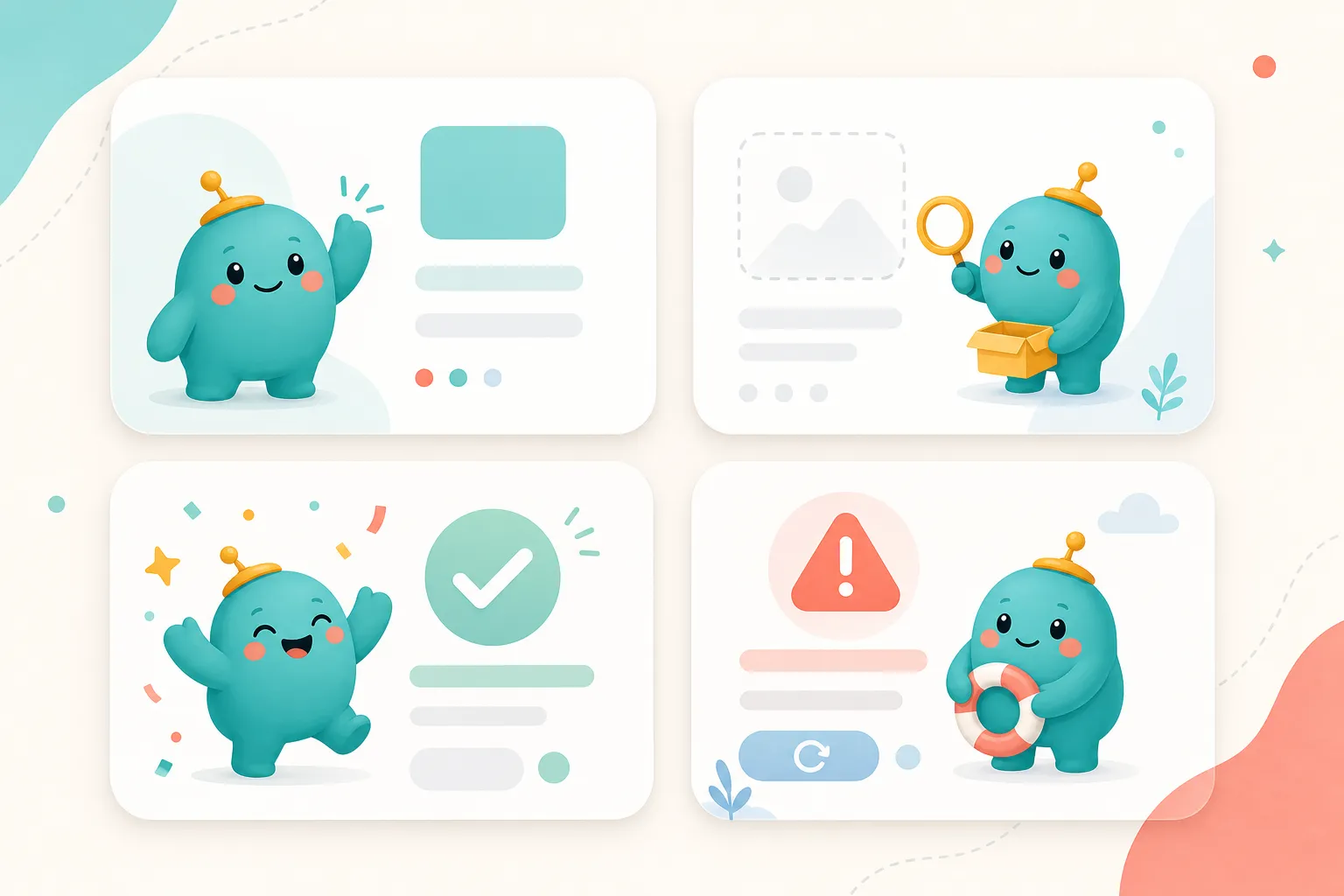
Most app mascots fail because they are designed as brand decorations. They sit on the homepage, wave once, and disappear from the product.
The better way to design an app mascot is to start with product moments. Where does the user need reassurance? Where do they need a nudge? Where would a small character make a blank screen feel less dead?
An app mascot is useful when it does a job. Here are the twelve jobs worth designing for.
1. First-Run Welcome
The first screen after signup is emotionally fragile. The user has not earned value yet, and every unclear choice adds friction.
A mascot can make this moment feel guided instead of empty. Use a simple greeting pose, minimal motion, and copy that explains the next step.
Avoid over-celebrating. The user has not succeeded yet. They have only arrived.
2. Setup Checklist
A mascot can turn setup from admin work into progress.
Use the character as a guide beside the first checklist, not as a giant illustration that competes with the tasks. The best version feels like a helpful teammate saying, “Start here.”
Good poses: pointing, holding a map, carrying tools, reading instructions.
3. Empty State
Empty states are one of the safest places to use app mascots. There is no content yet, so the illustration gives the screen shape and mood.
The key is to pair the mascot with a specific action:
- create your first project
- invite a teammate
- upload your first file
- connect your first integration
A mascot alone is not enough. The screen still needs a clear button.
4. Loading or Waiting
Mascots can soften waiting, but they should not hide slow performance.
Use subtle animation or a calm static pose. A mascot reading, building, or looking through a magnifying glass can make waiting feel purposeful. A hyperactive pose can make the delay feel worse.
5. Success Confirmation
This is where mascots can be expressive.
When the user completes a meaningful task, a celebratory character gives the product a memorable emotional beat. This works especially well for milestones:
- first deployment
- first published page
- first payment received
- first team invite accepted
Keep small confirmations small. Save the big mascot celebration for moments that matter.
6. Error State
The mascot’s job in an error state is not to be funny. It is to reduce anxiety and help the user recover.
Use a calm pose. Make the copy concrete. Explain what happened, what the user can do next, and whether anything was lost.
Good poses: holding tools, looking concerned, pointing to a retry button, carrying a warning sign.
7. Permission or Empty Access
Permission screens often feel cold: “You do not have access.” A mascot can make them less hostile.
The character should signal boundary, not blame. Try a polite guard, a locked door, or a “request access” helper. Avoid shame or jokes.
8. Upgrade Prompt
Mascots can make upgrade prompts feel less like popups, but this is risky. If the character becomes the face of a paywall, users may resent it.
Use mascots here only when the upgrade is directly tied to positive progress: unlocking more exports, more team seats, or more brand assets.
9. Documentation Guide
A mascot in docs can create continuity between product and help center.
Use it for callouts, tips, and “common mistake” blocks. Do not use it every paragraph. Documentation should still feel fast and scannable.
10. Release Notes
Release notes are a surprisingly good place for app mascots. They make updates feel authored and approachable.
Use different poses for different release types:
- confetti for launches
- tools for fixes
- lab coat or magnifying glass for experiments
- map for roadmap updates
11. Referral or Invite Flow
A mascot can make sharing feel warmer. The best invite illustrations show collaboration, not marketing pressure.
Use two characters, a character holding an envelope, or a team pose. Pair it with concrete copy about why inviting someone helps.
12. Churn Save or Cancellation
Use mascots carefully here. A sad character begging the user to stay feels manipulative.
If you use a mascot, make it helpful: offer export instructions, downgrade options, or a feedback path. The tone should be respectful.
Example: A Mascot Can Represent a Community, Not Just a Product
Source: Wapuu WordPressMG by Andrinivo, CC BY-SA 4.0.

Wapuu is useful as an example because it shows how a mascot can become a flexible community symbol. It can be adapted into local versions, event versions, and personality variants while staying recognizable.
That is the model app teams should borrow: one character, many contexts, consistent identity.
The App Mascot Design Matrix
Before drawing anything, make a simple matrix:
- Moment: onboarding, empty, error, success, docs
- User emotion: uncertain, blocked, relieved, curious
- Mascot emotion: calm, helpful, proud, focused
- Pose: waving, fixing, celebrating, reading
- CTA: create, retry, learn, invite, continue
This turns mascot design from “make something cute” into product design.
Design a mascot for real product moments
Create consistent app mascot poses for onboarding, empty states, errors, docs, and success screens.
Create App MascotsWhat to Avoid
Avoid these common mistakes:
- using one mascot pose everywhere
- making error mascots too silly
- changing character style between screens
- using mascots to distract from bad UX
- making the mascot larger than the action
- treating mascot design as separate from product copy
The mascot should make the interface clearer. If it adds visual noise, remove it.
The Simple Version
If you are a small team, start with five poses:
- Welcome
- Thinking
- Empty state
- Error/recovery
- Success
That is enough to cover most app flows. Add more only when you find repeated product moments that need a different emotional signal.
A useful app mascot is not a logo with arms. It is a small emotional system for the moments where your interface needs a human touch.