How to Create a Brand Character in 5 Steps
Learn how to create a memorable brand character: define its role, choose a concept, build a character bible, create useful poses, and test it with your audience.
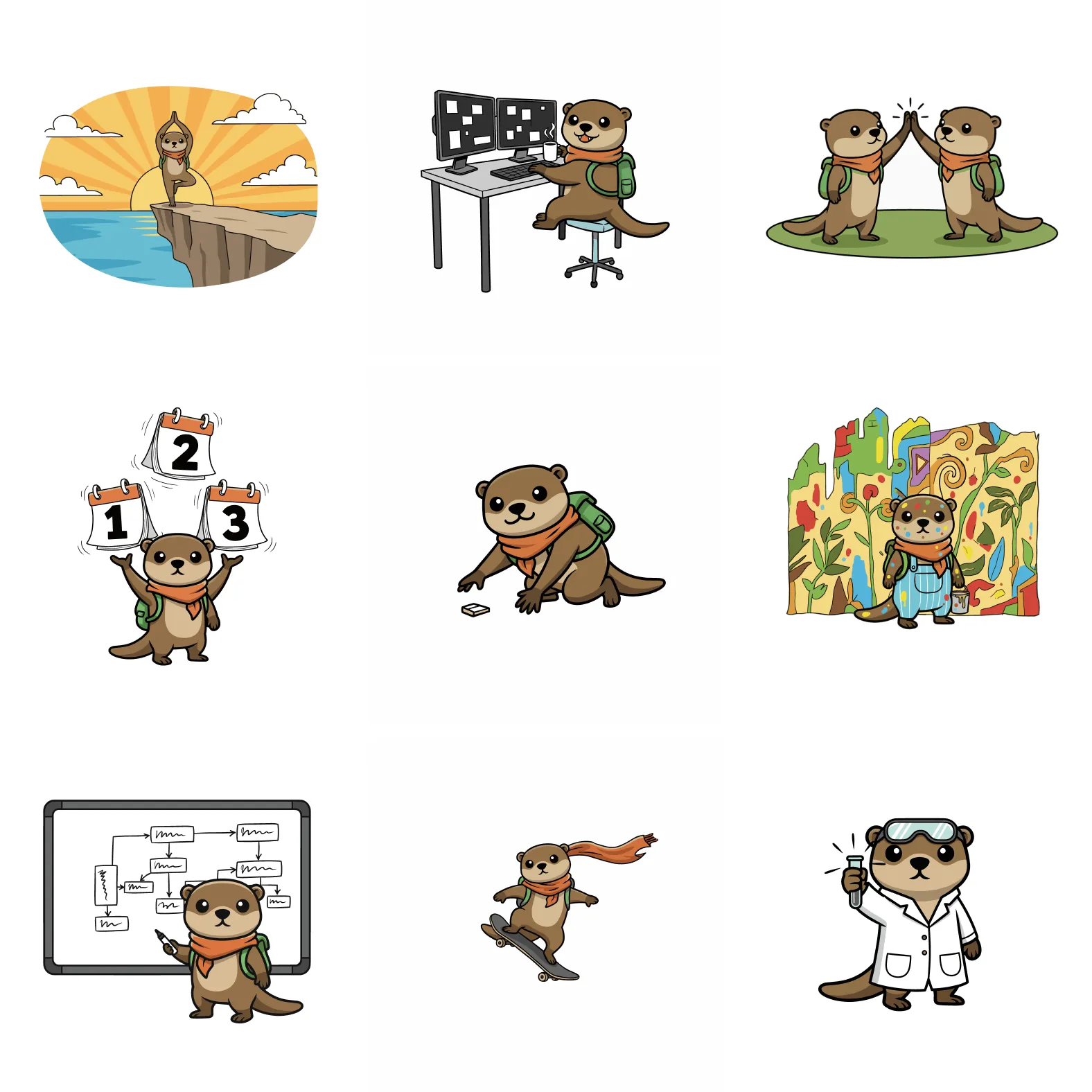
A brand character is a recognizable visual personality that represents your company across product screens, marketing, support, and social content. Unlike a logo, it can react, explain, celebrate, and tell stories while staying recognizably yours.
To create a brand character:
- Define the character’s role and personality.
- Choose a character type that fits your audience.
- Design a distinctive silhouette, palette, and signature details.
- Document the rules in a reusable character bible.
- Build useful poses, test them in context, and refine the system.
The steps below turn that outline into a character your team can use repeatedly, not just a single illustration that looks good once.
What Is a Brand Character?
A brand character is a visual representation of your company’s personality. Think of it as your brand’s ambassador—someone (or something) that embodies what you stand for and helps people connect with your business on an emotional level.
Unlike a simple logo, a brand character can:
- Tell stories through different poses and scenarios
- Evoke emotions that build trust and loyalty
- Create consistency across all your marketing materials
- Make your brand memorable in a crowded market
Why Your Business Needs a Brand Character
In today’s digital landscape, standing out is harder than ever. A well-designed brand character gives you a competitive edge by:
1. Humanizing Your Brand
People connect with people, not faceless corporations. A character gives your business a friendly, approachable face that customers can relate to.
2. Increasing Engagement
A character gives product updates, campaigns, and support content a repeatable visual hook. Measure whether it improves attention or engagement with your own audience rather than assuming every character will perform the same way.
3. Building Brand Recognition
A distinctive character becomes instantly recognizable. Think about how you can spot certain brands just by seeing their character in the corner of an ad.
4. Creating Versatile Marketing Assets
From social media posts to website illustrations to merchandise, a brand character provides endless content opportunities.
The 5 Essential Elements of a Great Brand Character
Before you start designing, understand what makes a character successful:
1. Alignment with Brand Values
Your character should reflect your company’s core values. A playful fintech app might have an energetic, curious character, while a meditation app might choose something calm and serene.
2. Distinctive Visual Style
The best characters are instantly recognizable. Focus on unique features, color palettes, and proportions that set your character apart.
3. Expressive Personality
A static character is forgettable. Your brand character needs to show emotion—happiness, determination, curiosity, empathy—through facial expressions and body language.
4. Versatility
Your character should work everywhere: tiny app icons, large billboards, animated videos, and print materials. Design with flexibility in mind.
5. Timelessness
Trends come and go, but your character should last. Avoid overly trendy design choices that will look dated in a year.
Example: Why Tony the Tiger Works
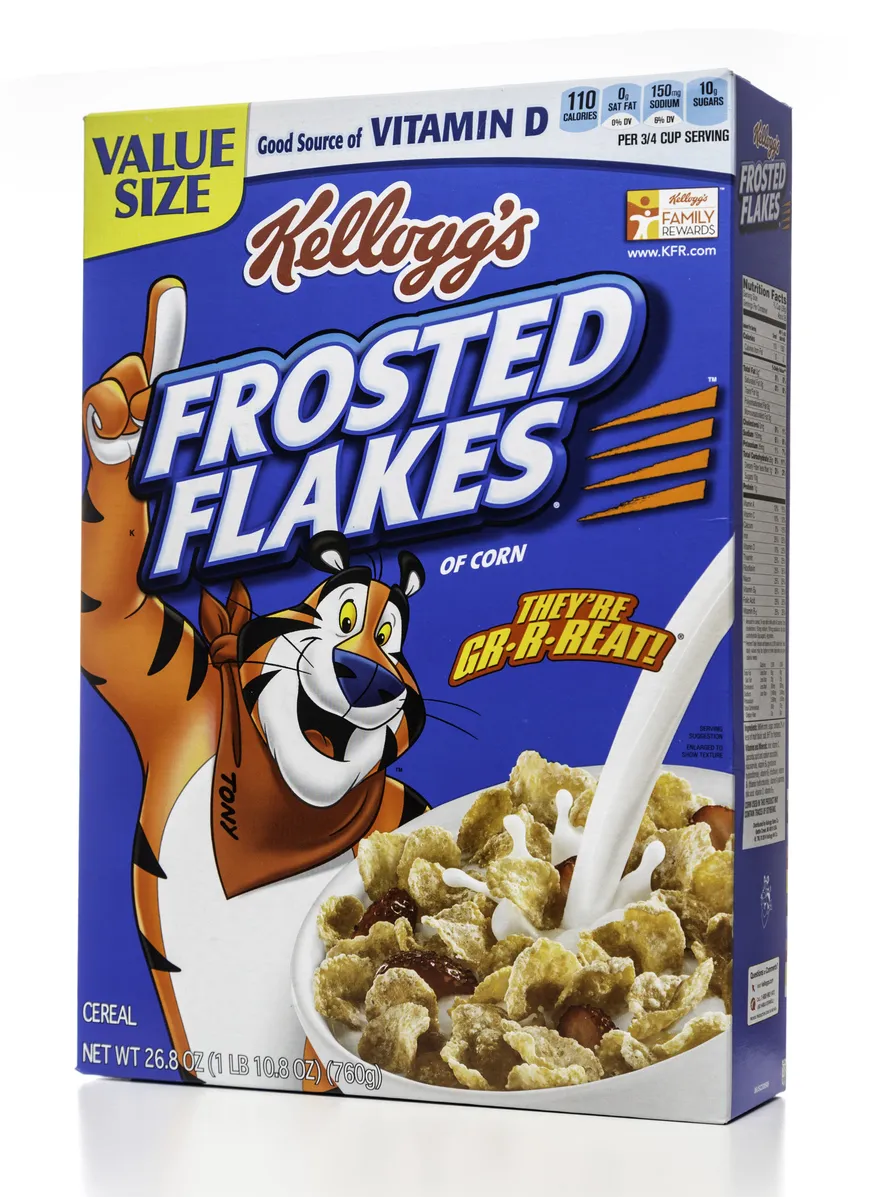
Tony the Tiger is a great mascot because every part of him supports the brand promise. His athletic posture, bright scarf, bold stripes, and confident expression all communicate energy before the copy says anything. He is simple enough to recognize instantly, expressive enough to carry campaigns, and consistent enough that people still connect him with Frosted Flakes after decades.
Step-by-Step: How to Create Your Brand Character
Step 1: Define Your Brand Personality
Before sketching anything, answer these questions:
- What are your company’s core values?
- How do you want customers to feel when they interact with your brand?
- What adjectives describe your brand personality? (Playful? Professional? Innovative? Trustworthy?)
- Who is your target audience, and what would resonate with them?
Pro tip: Create a mood board with colors, styles, and existing characters that capture the feeling you want. This will guide your design decisions.
Step 2: Choose Your Character Type
Brand characters typically fall into these categories:
Animals
- Pros: Universally appealing, easy to anthropomorphize
- Best for: Friendly, approachable brands
- Examples: Bears (strong but cuddly), Owls (wise), Foxes (clever)
Human Characters
- Pros: Highly relatable, can wear different outfits
- Best for: Service-based businesses, personal brands
- Consider: Age, style, profession that matches your audience
Abstract/Creature Characters
- Pros: Completely unique, no preconceptions
- Best for: Tech companies, innovative brands
- Challenge: Requires more work to establish personality
Objects with Personality
- Pros: Directly related to your product/service
- Best for: Product-focused companies
- Examples: A coffee cup character for a café, a robot for a tech company
Need help choosing the right character direction?
Explore mascot concepts, compare visual directions, and start building a character system that actually matches your brand.
Create Your Brand CharacterStep 3: Design the Core Visual Elements
Start with the basics:
Silhouette Your character should be recognizable from its outline alone. Test this by viewing your design in black and white.
Color Palette Choose 2-4 colors that align with your brand guidelines. Consider color psychology:
- Blue: Trust, professionalism
- Red: Energy, excitement
- Green: Growth, health
- Yellow: Optimism, creativity
- Purple: Luxury, creativity
- Orange: Friendly, enthusiastic
Key Features What makes your character unique? Maybe it’s oversized glasses, a distinctive hairstyle, or an unusual body proportion. These details make your character memorable.
Expression Range Design your character showing different emotions: happy, thoughtful, excited, concerned. This versatility is crucial for storytelling.
Step 4: Create a Character Bible
A character bible is not just a polished PDF for later. When you use AI, it becomes the source prompt that keeps your mascot from changing species, proportions, outfit, or personality every time you ask for a new image.
Keep it short enough to paste into an AI image tool, but specific enough that another person could recreate the same character. If you want to skip the manual prompt management, svgapp can turn the same character direction into a reusable mascot system for you.
Start with these five parts:
- Brand role: What job does the character do for the business? Are they a guide, coach, helper, inventor, host, or cheerleader?
- Personality: Pick 3-5 traits, such as calm, curious, energetic, precise, playful, or protective.
- Visual anchors: Define the silhouette, colors, proportions, face shape, outfit, props, and any signature detail.
- Style rules: Choose the rendering style, line weight, shading, background rules, and whether the character should be vector-friendly.
- Do-not-change rules: List the elements that must stay consistent across every pose.
Here is a simple prompt you can use to draft the bible before generating images:
Act as a brand character art director.

My brand is [brand name].
We help [audience] do [main benefit].
Our tone is [3-5 adjectives].
The mascot should feel like [guide/coach/helper/inventor/host/other].
The character type is [animal/person/object/abstract creature].
Brand colors are [hex codes or color names].

Create a concise character bible with:
1. personality traits
2. visual anchors
3. expression rules
4. pose rules
5. colors
6. do-not-change rules
7. a short image-generation prompt I can reuse
Once you have the bible, use ChatGPT Images or another image generator to create the first reference image. ChatGPT Images can create images from text prompts and can also edit existing images when you upload or select an image and describe the change you want. For mascot work, that means you can create the first character, then keep asking for changes like “make the scarf simpler” or “keep the same character, but make the expression more confident.”
Use this prompt for the first mascot image:
Create a full-body brand mascot reference image for [brand name].

Character bible:
[paste your character bible]

The mascot should be standing in a neutral pose on a plain background.
Make the silhouette clear, the face readable, and the colors limited to [2-4 colors].
Use a clean, modern, vector-friendly style suitable for a website, app, and social media.
Do not include text, logos, complex backgrounds, or extra characters.
When the first image is close, do not immediately generate ten more. Tighten the reference first. Ask for focused edits:
Keep the same mascot design, proportions, colors, and style.
Only change [specific detail].
Make the result more [brand trait].
Do not change [signature detail], [color], or [face shape].
Save the best version as your “anchor” reference. Every future pose should be judged against that image and the character bible.
Step 5: Develop Poses and Scenarios
A single static character gets boring fast, but random pose generation creates a different problem: a folder full of cute images with no real use. Build the pose library from actual brand moments.
First, map where the character will appear:
- Homepage: greeting, pointing, presenting, inviting
- Onboarding: welcoming, explaining, celebrating progress
- Empty states: searching, waiting, suggesting a next step
- Errors: apologizing, fixing, holding tools, calming the user
- Feature launches: announcing, demonstrating, unboxing
- Support: listening, answering, guiding, reassuring
- Social posts: reacting, celebrating, showing seasonal variations
Then ask AI to brainstorm a pose library before generating any images:
Act as a product illustrator planning a mascot pose library.

Brand: [brand name]
Audience: [audience]
Product: [what it does]
Mascot personality: [traits]
Mascot description: [short visual description]
Main channels: [website/app/social/email/docs]

Create 20 useful mascot pose ideas.
For each pose, include:
- pose name
- user moment
- emotion
- body language
- useful placement
- one sentence image prompt

Prioritize poses that would help users understand, trust, or remember the brand.
Choose the first 6-10 poses from that list. A practical starter set is: welcome, explain, think, search, help, error, celebrate, announce, wait, and success.
If you are using ChatGPT Images, work in a single thread and keep your anchor image visible in the conversation when possible. Generate poses one at a time instead of asking for a huge sheet first. One-at-a-time prompting makes it easier to catch drift in the face, outfit, proportions, or colors.
Use this prompt for each pose:
Create a new pose of the same brand mascot.

Use this character bible:
[paste character bible]

Anchor details to preserve:
- species/type: [type]
- silhouette: [shape]
- colors: [colors]
- face: [eye shape, mouth style, expression rules]
- outfit/accessory: [signature details]
- style: [style rules]

Pose: [pose name]
Moment: [where this will be used]
Emotion: [emotion]
Action/body language: [specific action]

Keep the mascot consistent with the original character.
Use a plain or transparent background.
Do not add text, logos, extra props, or extra characters unless requested.
For example:
Create a new pose of the same brand mascot.

The mascot is a small teal robot guide with rounded square proportions, large curious eyes, a tiny antenna, white gloves, and simple flat vector shading.

Pose: empty dashboard helper
Moment: a SaaS app screen when the user has not created their first project
Emotion: friendly and encouraging
Action/body language: holding a small clipboard in one hand and pointing gently toward the empty space with the other

Keep the same teal body, antenna, eye shape, proportions, gloves, and clean vector-friendly style.
Use a plain transparent background.
Do not include text, logos, extra characters, or a detailed UI background.
After each generation, compare it against your anchor and ask for corrections instead of accepting drift:
Revise this image.
Keep the pose and emotion, but make the mascot match the original reference more closely.
Specifically preserve [color], [head shape], [eye shape], [accessory], and [proportions].
Remove or simplify [unwanted detail].
Finally, create a pose checklist so the library feels intentional:
- Does this pose map to a real page, campaign, or product state?
- Is the silhouette still recognizable?
- Are the colors and proportions consistent?
- Does the emotion match the user’s moment?
- Can the asset work at small sizes?
- Would this still feel like your brand without the logo?
This is the part where a dedicated mascot workflow saves the most time. svgapp can generate the mascot, preserve the character rules, and create a consistent pose library from the same system, so you do not have to manually paste the bible into every prompt.
Example: One Brand Character, Three Product Moments
A useful character system should keep the same identity while changing the pose and emotion to fit the user’s moment. The svgapp otter below can present work, soften an error, and celebrate success without changing its silhouette, face, palette, or rendering style.
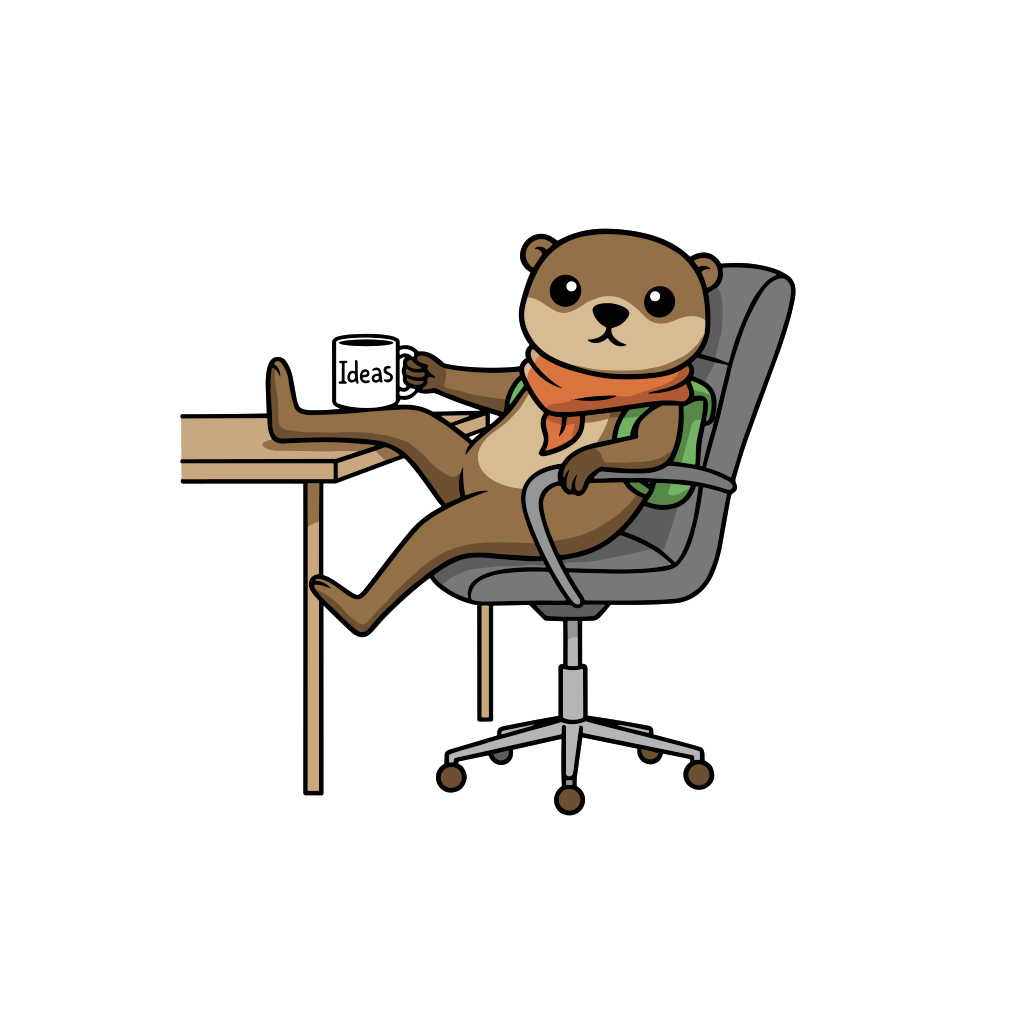
Present and explain
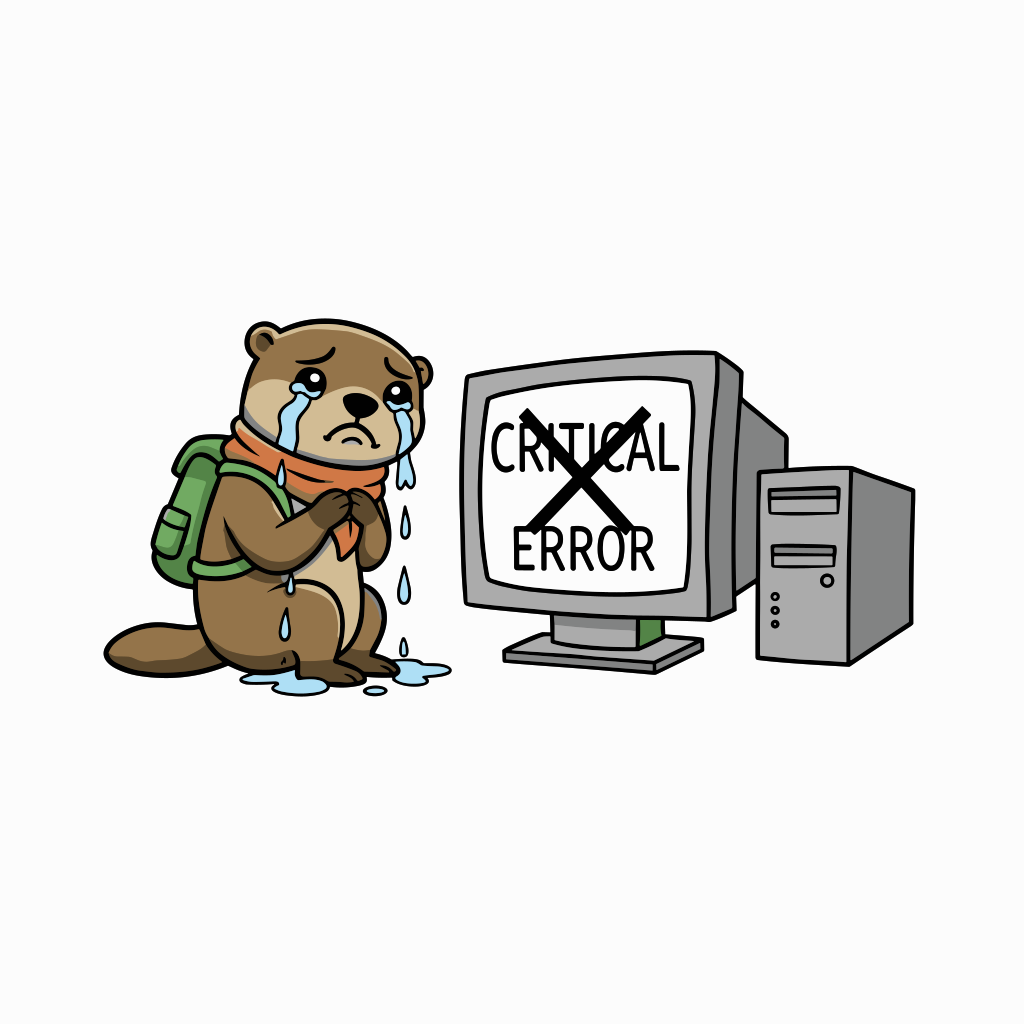
Handle an error

Celebrate success
Start by listing the real moments where your character will appear. Then create the smallest pose set that covers those moments and compare every result against the same anchor reference and character bible.
Common Mistakes to Avoid
Overcomplicating the Design
Simple characters are more versatile and memorable. Avoid unnecessary details that clutter the design or make it hard to reproduce at small sizes.
Copying Competitors
While it’s good to know what others are doing, your character needs to be unique to your brand. Direct copies confuse customers and dilute your identity.
Ignoring Your Audience
A character you love might not resonate with your target market. Always test designs with actual customers before finalizing.
Neglecting Consistency
Using different art styles, colors, or proportions across platforms weakens your brand. Stick to your character bible religiously.
Tools and Resources for Creating Brand Characters
Traditional Design Tools:
- Adobe Illustrator: Industry standard for vector characters
- Figma: Great for collaborative design
- Procreate: Excellent for sketching and illustration
AI-Powered Solutions: Modern AI tools have revolutionized character creation. Instead of spending weeks with designers, you can generate professional brand characters in minutes.
Create your brand character with svgapp.ai — our AI-powered platform helps you design consistent, scalable characters with thousands of pose variations, perfect for businesses of any size.
Measuring the Success of Your Brand Character
Once you launch your character, track these metrics:
- Brand recall: Can people recognize your brand from the character alone?
- Engagement rates: Do posts featuring your character perform better?
- Customer feedback: Are people mentioning your character positively?
- Merchandise appeal: Would customers want your character on products?
Bringing Your Brand Character to Life
The strongest brand characters are systems, not one-off images. Start with a clear role, a distinctive visual concept, and a short character bible. Then build poses for real product and marketing moments, test them with your audience, and refine the rules as your brand evolves.
Your character does not need to be perfect on day one. It does need to remain recognizable from one use to the next.
Turn your character idea into a reusable system
Create your brand character, refine the design, and generate consistent poses for your website, app, and marketing.
Create Your Brand CharacterHave questions about creating brand characters? Follow us on Twitter for tips, inspiration, and behind-the-scenes looks at how successful brands use characters to connect with their audiences.