App Engagement Guide: Using Mascots to Bring Users Back
Use mascot moments in lifecycle emails, in-app messages, release notes, and milestone screens to increase engagement.
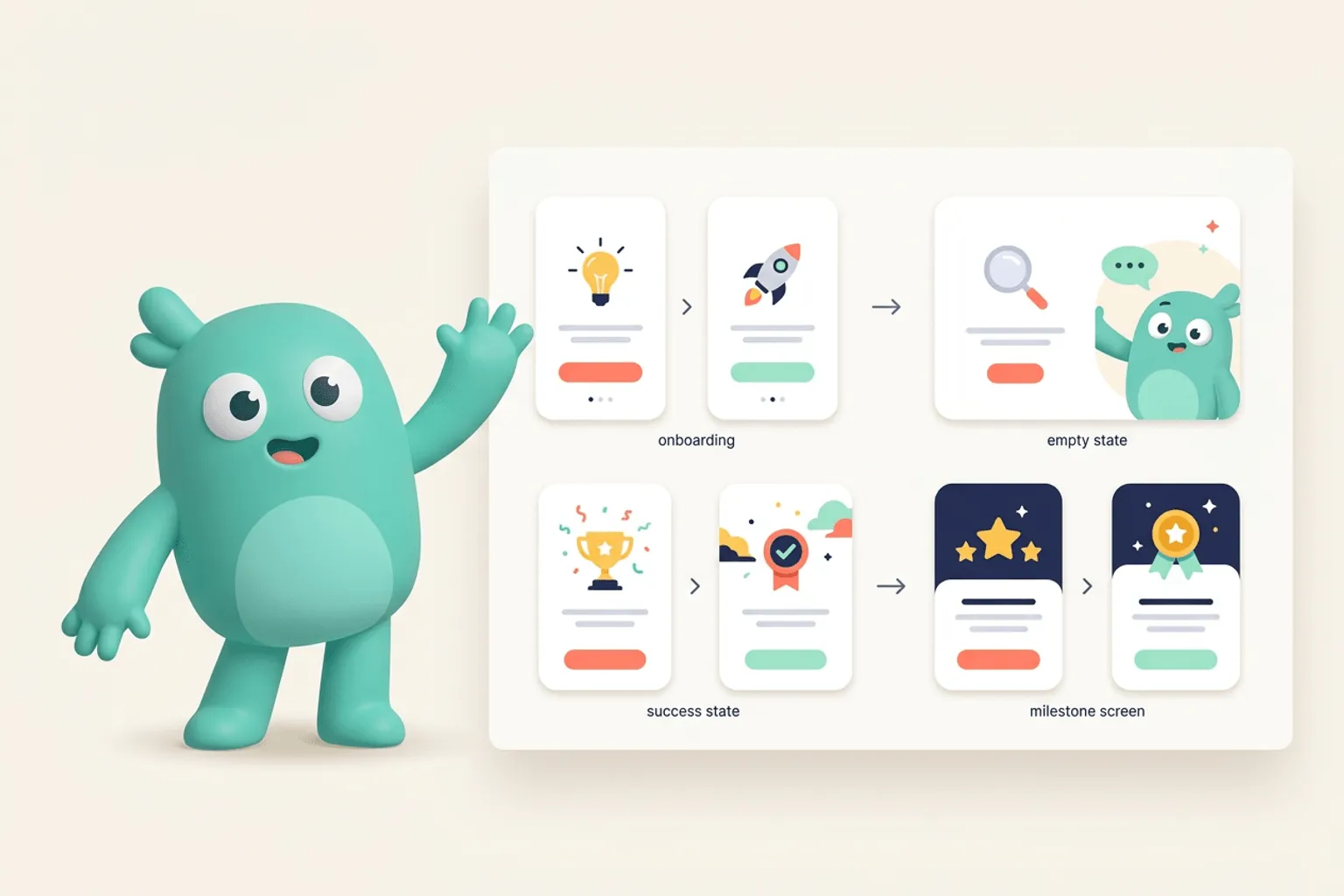
Quick Answer
Core idea: Mascots can improve engagement when they make recurring product communication feel recognizable, useful, and human.
- Use mascot poses for recurring messages: reminders, milestones, releases, and recovery.
- Pair the character with a clear user benefit.
- Keep the mascot consistent so engagement campaigns build brand memory.
Lifecycle messages
Lifecycle messages often feel generic because every product sends the same reminders. A mascot can make these touchpoints feel owned. Use a calm reminder pose for incomplete setup, a builder pose for new feature announcements, and a celebration pose for milestones.
The character should support the message, not distract from it. The copy still needs a reason to return.
If you want to learn more about app engagement mascot, read The Mascot Marketing Growth Effect: Why Character Systems Make Apps Easier to Remember next. Animated Mascots for Social Media: Planning Loops That Still Look Like Your Brand is also useful when you are mapping the same mascot system across product and marketing.
Release notes and changelogs
Changelogs are a natural home for mascots. The character can hold tools, inspect a feature, or celebrate shipping. Repeated use teaches users that updates are part of the brand’s rhythm.
Create a few reusable release-note poses so every update does not require a fresh illustration concept.
If you want to learn more about applying this idea in a real product workflow, Mascots for App Founders: From Landing Page Hook to Product Companion is a practical next step.
Milestones and habit loops
If your product has streaks, projects completed, tasks shipped, or usage milestones, a mascot can mark progress in a more emotional way. The key is to celebrate meaningful actions, not vanity interruptions.
Use the mascot as a reward cue after the user finishes something valuable.
Implementation Checklist
Use this checklist before publishing the mascot assets. It keeps the character useful across the product instead of turning it into a one-page illustration.
- Identify recurring lifecycle messages.
- Create poses for reminder, release, milestone, and win-back.
- Tie each mascot moment to a clear next action.
- Measure click-through and return behavior against plain creative.
How to Think About App Engagement Mascots
This longer-form guide is for product teams trying to make lifecycle moments feel connected instead of random. The goal is to use a mascot to increase clarity, recognition, and return behavior across the product journey. Engagement work fails when teams only add a cute image to an empty state. The stronger move is to use the same character to connect reminders, progress, recovery, milestones, and feature discovery.
The practical question is not whether the mascot is cute. The practical question is whether it helps people understand, remember, or complete something that matters. A strong mascot system should make the next asset easier to create, not harder.
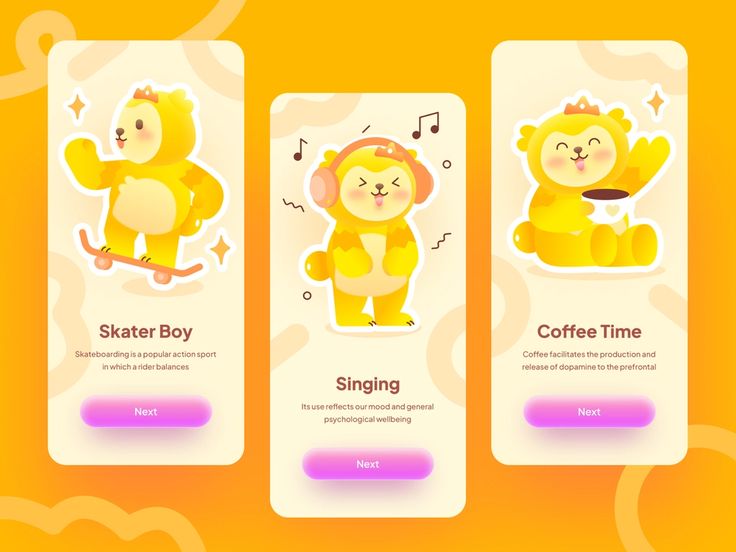
Mascot Character Design on Pinterest. The mobile screens show how a character can become part of a recurring product rhythm instead of a single illustration.
Build the System Before You Polish the Moment
Map moments where the user needs momentum
Look for places where users pause: first-run setup, import waiting, blank dashboards, failed actions, unclear next steps, and milestone completion. These are the moments where a mascot can reduce friction without competing with core UI.
Give each engagement moment one job
A mascot should not decorate every screen. In engagement flows, it should explain progress, reassure the user, celebrate completion, or point to the next meaningful action. The character’s emotion should match the product state.
Repeat the character across channels
Engagement often spans product UI, email, push, changelog, and help docs. Reusing the same character system across those channels makes the product feel coherent and gives users a visual cue that the message belongs to the same experience.
What to Notice in the Pinterest Reference
Use Pinterest as a research board, not as a source to copy. The goal is to notice the design decisions that make a character usable across contexts, then translate those decisions into your own brand system.
- Notice how character poses can frame a sequence of screens.
- Check whether the mascot supports the message instead of taking over the UI.
- Look for expressions that could map to waiting, success, and guidance.
Common Mistakes to Avoid
- Adding a mascot only to the homepage and expecting product engagement to improve.
- Using the same cheerful pose for errors, waiting, and success.
- Letting marketing and product create unrelated character variants.
Production Checklist
- Pick five lifecycle moments before designing poses.
- Match expression intensity to the seriousness of the screen.
- Keep CTA hierarchy stronger than the illustration.
- Review engagement metrics before and after mascot moments ship.
How to Measure Whether It Worked
Treat the mascot like a product asset. Once it ships, review whether it improves clarity, recognition, speed, or reuse. The most useful metrics for this article are:
- Activation completion rate
- Return rate after lifecycle emails
- Empty-state CTA clicks
- Support deflection on clarified error and waiting states
Create engagement visuals that belong to your brand
Use svgapp to generate mascot poses for lifecycle emails, release notes, and in-app engagement moments.
Create Your Mascot