App Onboarding Mascot Examples and Patterns
Use mascots in onboarding flows to guide, reassure, and motivate users without adding friction.
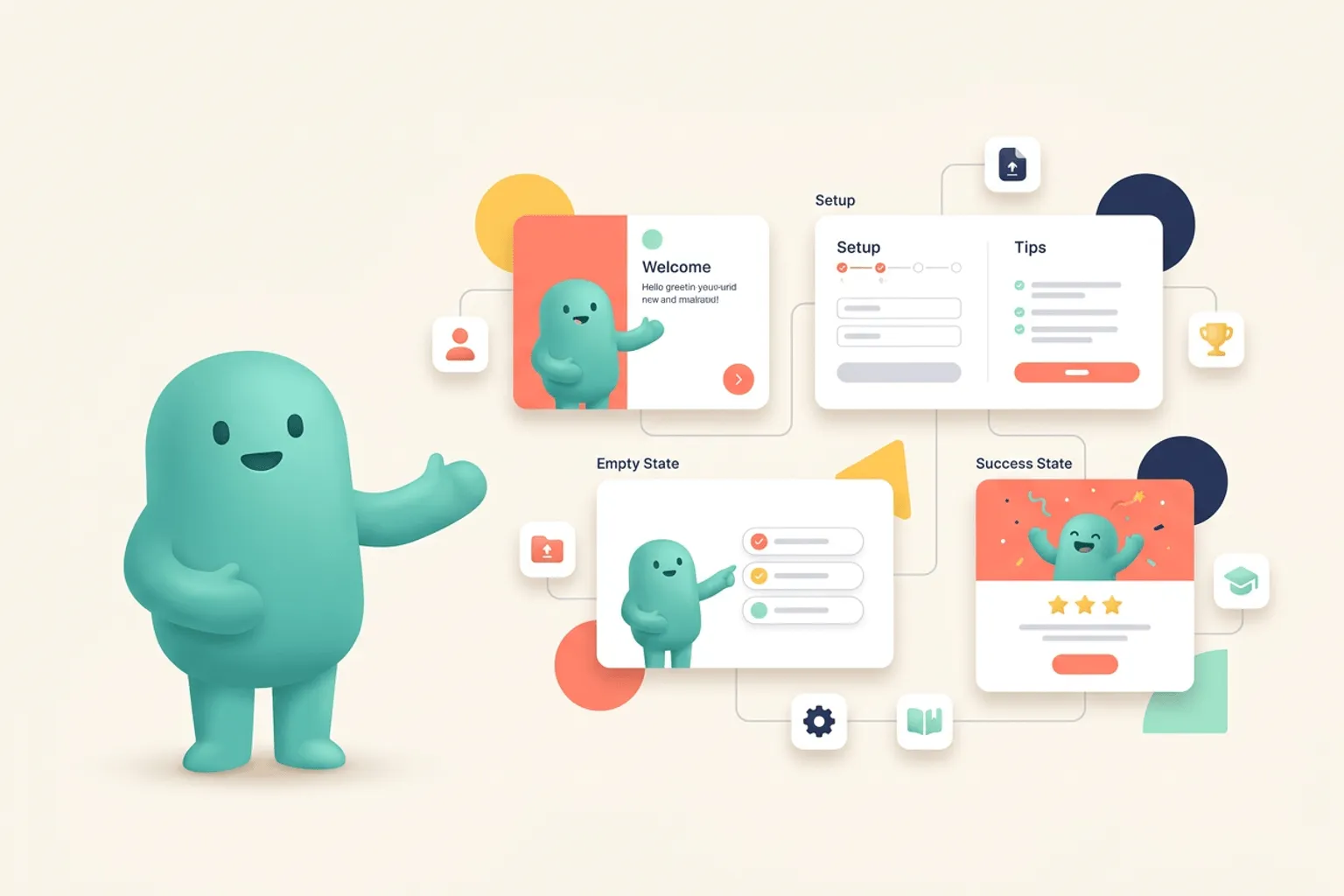
Quick Answer
Core idea: Mascots make onboarding better when they reduce uncertainty and point users toward the next meaningful action.
- Use mascots to support onboarding copy, not replace it.
- Match the pose to the user’s step: welcome, setup, progress, success.
- Avoid mascot interruptions when the user is already taking action.
Welcome screens
A welcome screen is the easiest place to introduce a mascot. The character can greet the user, set the tone, and make the product feel less anonymous. Keep the text concise and immediately follow with a clear action.
The mascot should be visually strong but not so dominant that it competes with account setup or workspace creation.
If you want to learn more about app onboarding mascot, read Where to Place a Mascot in Your App next. App Engagement Guide: Using Mascots to Bring Users Back is also useful when you are mapping the same mascot system across product and marketing.
Setup and progress moments
During setup, a mascot can point to the next step, hold a checklist, or react to completion. This is useful when onboarding involves multiple tasks such as inviting teammates, importing data, choosing preferences, or creating the first project.
Small pose changes make the flow feel alive without requiring heavy animation.
If you want to learn more about applying this idea in a real product workflow, Mascots for SaaS: Product Moments That Benefit From a Character is a practical next step.
First success moment
The first completed task is a strong place for a celebratory mascot. The celebration should acknowledge progress and invite the next meaningful action. Done well, it creates a positive memory around activation.
Create success poses that can be reused for future milestones, not just the first session.
Implementation Checklist
Use this checklist before publishing the mascot assets. It keeps the character useful across the product instead of turning it into a one-page illustration.
- Introduce the mascot in the welcome screen.
- Use pointing or checklist poses during setup.
- Celebrate the first meaningful action.
- Keep onboarding actions faster than the illustration moment.
How to Think About App Onboarding Mascots
This longer-form guide is for teams designing first-session flows that need warmth without sacrificing clarity. The goal is to turn onboarding from a sequence of instructions into a guided product experience. Onboarding is usually the first place users decide whether a product feels understandable. A mascot can help, but only when it points to progress, reduces anxiety, and supports the exact next step.
The practical question is not whether the mascot is cute. The practical question is whether it helps people understand, remember, or complete something that matters. A strong mascot system should make the next asset easier to create, not harder.
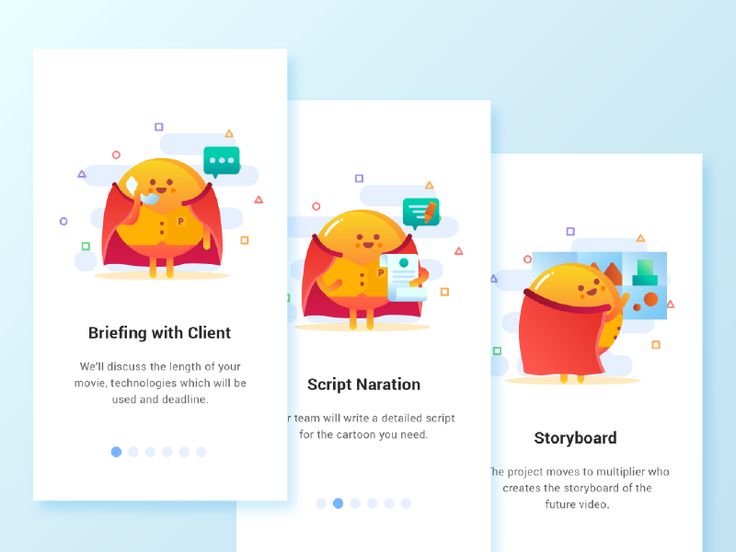
Onboarding Explainer Video App - Superherman Mascot Part 1 on Pinterest. The sequence shows how a mascot can carry a guided onboarding story across multiple screens.
Build the System Before You Polish the Moment
Assign the mascot a clear onboarding role
Decide whether the character is a host, coach, narrator, progress marker, or celebrator. That role determines expression, copy tone, and how often the mascot appears. A host can greet and orient. A coach can nudge. A progress marker can quietly make setup feel less mechanical.
Design around user decisions
A strong onboarding mascot does not explain everything. It appears when the user chooses a template, connects an integration, waits for import, completes profile setup, or reaches the first meaningful result.
Make the final screen reusable
The celebration pose used at the end of onboarding should also work for later milestones. That reuse is how onboarding becomes the beginning of a broader engagement system instead of a one-time tour.
What to Notice in the Pinterest Reference
Use Pinterest as a research board, not as a source to copy. The goal is to notice the design decisions that make a character usable across contexts, then translate those decisions into your own brand system.
- Study how the mascot changes pose as the user moves through steps.
- Check whether each screen has a distinct job.
- Notice how the character can explain process without adding more text.
Common Mistakes to Avoid
- Using mascots as filler art while the onboarding copy remains vague.
- Making every step equally cheerful, even when the user is waiting or stuck.
- Designing onboarding artwork that cannot be reused after activation.
Production Checklist
- Create poses for welcome, setup, waiting, success, and next action.
- Keep each screen’s CTA visually dominant.
- Use the same character in post-onboarding milestones.
- Test whether users understand the next step without reading every word.
How to Measure Whether It Worked
Treat the mascot like a product asset. Once it ships, review whether it improves clarity, recognition, speed, or reuse. The most useful metrics for this article are:
- Step completion rate
- Drop-off by onboarding screen
- Time to first meaningful action
- Reuse of onboarding poses in later lifecycle moments
Make onboarding feel guided
Generate SVG mascot poses that support setup, activation, and first-user success moments.
Create Your Mascot