Mascots for SaaS: Product Moments That Benefit From a Character
A SaaS-specific guide to using mascots in onboarding, dashboards, support, lifecycle emails, pricing, and success moments.
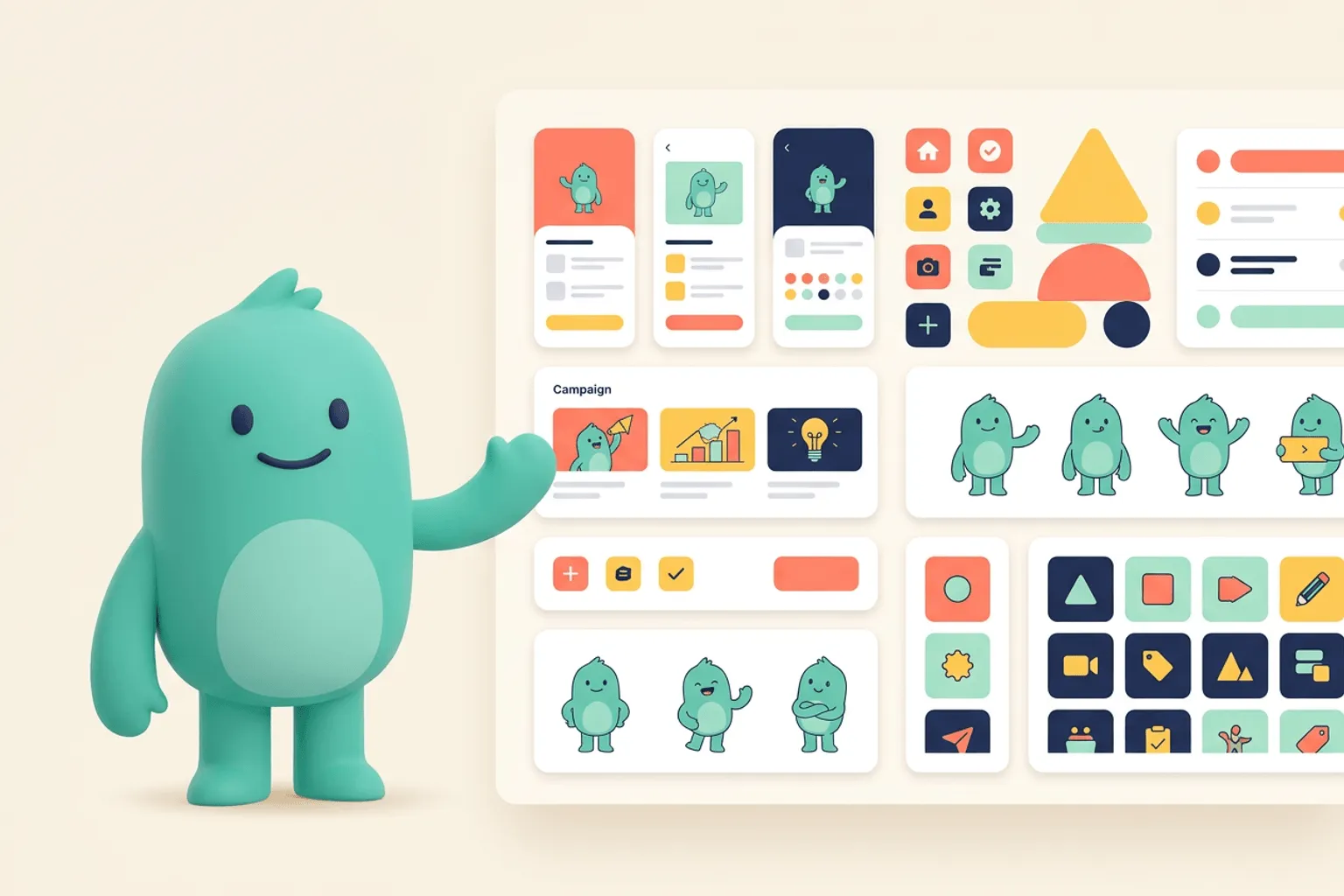
Quick Answer
Core idea: SaaS mascots work best when they make complex product moments feel clearer, friendlier, and more memorable.
- Use mascots to guide users through setup, complexity, waiting, recovery, and success.
- Keep B2B mascot tone useful rather than childish.
- Build a shared pose library for product, marketing, and customer success.
B2B does not mean boring
Many SaaS teams avoid mascots because they fear looking unserious. The solution is restraint. A SaaS mascot can be calm, competent, and helpful. It does not need oversized emotion or childish styling.
Use the character to humanize complex workflows while keeping the interface focused.
If you want to learn more about mascot for SaaS, read Where to Place a Mascot in Your App next. App Engagement Guide: Using Mascots to Bring Users Back is also useful when you are mapping the same mascot system across product and marketing.
The highest-impact SaaS moments
Start with onboarding, empty dashboards, import flows, integration setup, error states, success milestones, and lifecycle emails. These are the moments where users need reassurance or a clearer next step.
A consistent mascot pose can make those messages feel like one connected product experience.
If you want to learn more about applying this idea in a real product workflow, Mascots for App Founders: From Landing Page Hook to Product Companion is a practical next step.
Operationalize the mascot
Create a shared asset library. Name files by use case. Document when to use each pose. Give marketing, product, and customer success the same source of truth. This prevents random illustration choices from diluting the brand.
svgapp helps teams generate enough consistent poses to make that library practical.
Implementation Checklist
Use this checklist before publishing the mascot assets. It keeps the character useful across the product instead of turning it into a one-page illustration.
- Keep SaaS mascot tone helpful and competent.
- Create poses for onboarding, empty, error, success, and lifecycle moments.
- Document usage rules across teams.
- Measure activation and engagement changes where mascot moments ship.
How to Think About Mascots for SaaS
This longer-form guide is for B2B SaaS teams making complex workflows feel clearer and more human. The goal is to create a professional mascot system for onboarding, dashboards, support, lifecycle emails, and success moments. SaaS mascots fail when they are treated as childish decoration. They work when they are calm, competent companions that clarify product states and make the brand easier to remember.
The practical question is not whether the mascot is cute. The practical question is whether it helps people understand, remember, or complete something that matters. A strong mascot system should make the next asset easier to create, not harder.
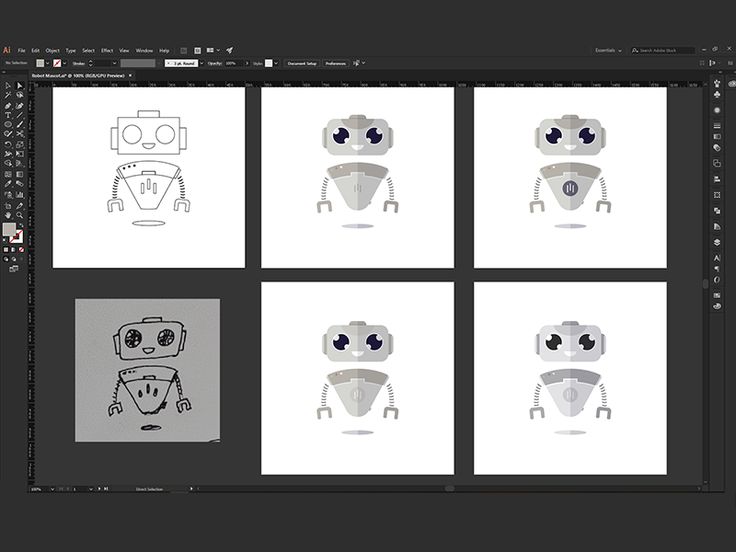
Robot Mascot Process for SaaS Platform on Pinterest. The process reference is a good fit for SaaS because it shows a professional character being explored as a reusable product asset.
Build the System Before You Polish the Moment
Use the mascot where complexity peaks
Good SaaS placements include integration setup, import waiting, empty dashboards, permission issues, billing explanations, onboarding milestones, and customer success nudges. These are moments where users need reassurance or orientation.
Keep B2B tone restrained
Professional does not mean cold. Use smaller smiles, clear gestures, limited props, and confident posture. The mascot should make the workflow feel easier, not make the product feel less serious.
Create a cross-team library
Product, marketing, sales, and support will all want mascot assets. A shared library prevents one-off illustrations from slowly changing the character’s face, colors, or personality.
What to Notice in the Pinterest Reference
Use Pinterest as a research board, not as a source to copy. The goal is to notice the design decisions that make a character usable across contexts, then translate those decisions into your own brand system.
- Notice the mechanical shapes that fit a software context.
- Look for repeatable construction across variations.
- Ask whether the character would feel useful inside a dashboard.
Common Mistakes to Avoid
- Using a mascot only in top-of-funnel marketing.
- Making the character too loud for serious workflow screens.
- Creating product and marketing variants with different styles.
Production Checklist
- Create onboarding, empty, error, success, support, and lifecycle poses.
- Set tone rules for serious states.
- Use transparent exports in the design system.
- Track engagement on screens where the mascot clarifies next steps.
How to Measure Whether It Worked
Treat the mascot like a product asset. Once it ships, review whether it improves clarity, recognition, speed, or reuse. The most useful metrics for this article are:
- Onboarding completion
- Empty-state action clicks
- Support ticket reduction on clarified states
- Asset reuse across product and lifecycle campaigns
Create a SaaS mascot users can meet across the product
Use svgapp to generate consistent mascot assets for onboarding, dashboards, support, and lifecycle campaigns.
Create Your Mascot