Brand Personality Guide for Mascots: Turning Tone Into a Visual Character
Translate brand voice into mascot behavior, expressions, poses, colors, and usage rules.
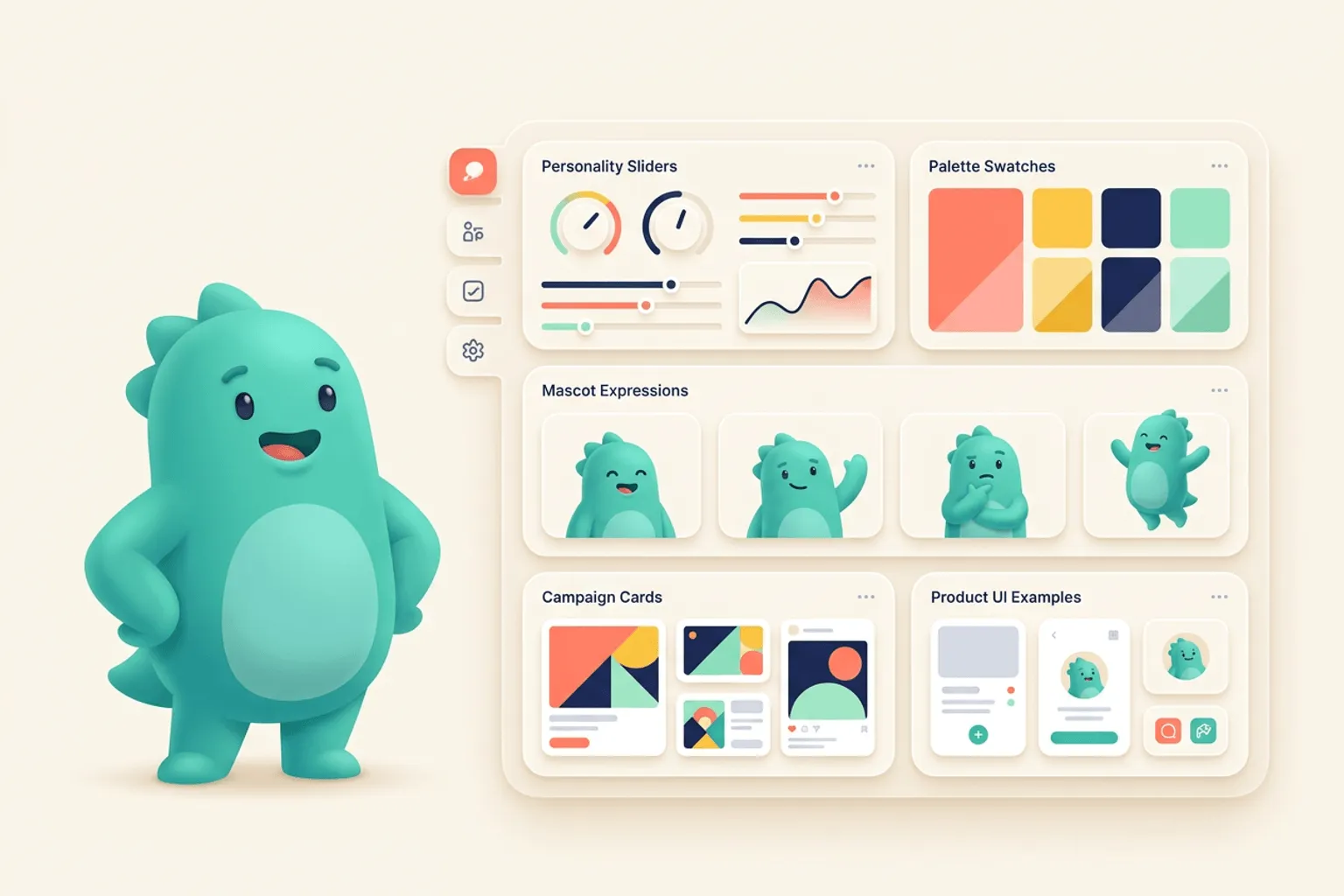
Quick Answer
Core idea: A mascot should make brand personality visible through behavior, not just through style.
- Start from adjectives, then turn them into actions the mascot can perform.
- A useful mascot has boundaries: emotions it can show and moments it should avoid.
- Brand personality becomes easier to scale when every pose follows the same behavioral rules.
Translate adjectives into actions
Words like friendly, smart, premium, playful, and bold are useful starting points, but they are not enough to draw from. Convert each adjective into behavior. Friendly might mean waving, guiding, and making space. Smart might mean investigating, comparing, annotating, or building. Premium might mean calm posture, restrained expression, and fewer props.
Once the actions are clear, your mascot prompts become sharper. You are no longer asking for a cute character. You are asking for a character that behaves like your brand in specific product contexts.
If you want to learn more about brand personality mascot, read Brand Mascot Guide: How to Design a Character People Actually Associate With Your Product next. AI Mascot Generator Workflow for Brand Characters is also useful when you are mapping the same mascot system across product and marketing.
Set emotional boundaries
Every mascot needs a range, but not every range fits every brand. A security product may show reassurance, focus, and relief but avoid chaotic slapstick. A consumer creativity app may allow bigger surprise, delight, and motion. Boundaries protect trust.
Write a small expression map. Decide how your mascot looks when welcoming, explaining, waiting, celebrating, and apologizing. This map becomes a practical tool for anyone generating or commissioning new assets.
If you want to learn more about applying this idea in a real product workflow, How to Create a Mascot for Your App is a practical next step.
Use visual details to reinforce tone
Shape language, color, line weight, and props all signal personality. Rounded shapes feel approachable. Sharper geometry feels technical. Softer contrast feels calm. Bright accent colors feel energetic. The trick is to choose details that support the character’s job instead of piling on style.
With svgapp, you can lock in the direction, then generate pose variations while preserving those core personality signals.
Implementation Checklist
Use this checklist before publishing the mascot assets. It keeps the character useful across the product instead of turning it into a one-page illustration.
- List three brand adjectives and five mascot actions.
- Define allowed and disallowed expressions.
- Choose props that support the product category.
- Keep line weight and proportions stable across poses.
How to Think About Brand Personality Mascots
This longer-form guide is for marketers and designers connecting tone of voice with visual identity. The goal is to translate abstract brand traits into a character that behaves consistently. Words like friendly, bold, premium, or playful are too vague until they become visible choices. A mascot can make brand personality concrete, but only if the team defines what the character would and would not do.
The practical question is not whether the mascot is cute. The practical question is whether it helps people understand, remember, or complete something that matters. A strong mascot system should make the next asset easier to create, not harder.
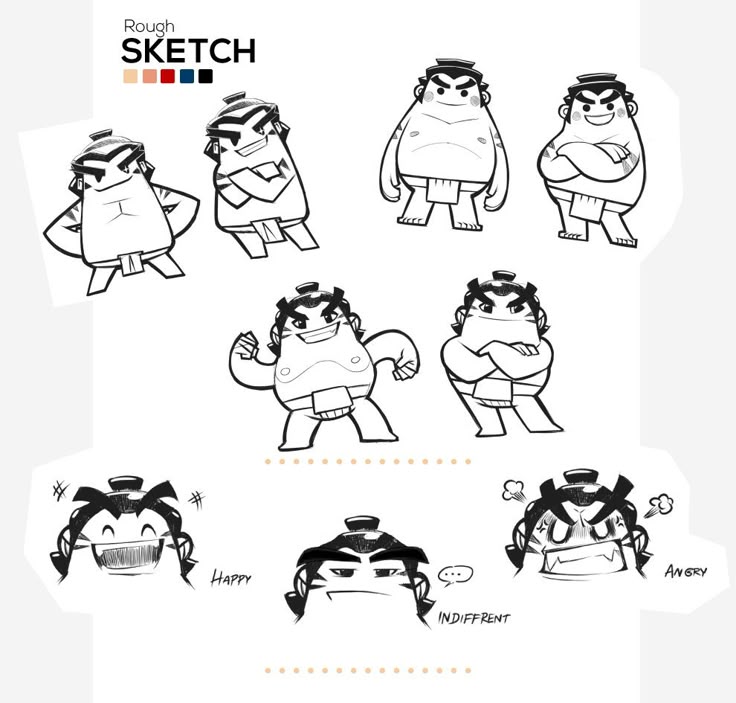
Mascot Design - Alongkorn Sanguansook on Pinterest. The expression studies are a useful prompt for turning personality traits into visible behavior.
Build the System Before You Polish the Moment
Turn adjectives into behaviors
If the brand is helpful, what does helpful look like? Pointing, carrying a checklist, waiting patiently, or explaining with a diagram all communicate differently. Translate each personality trait into actions before generating final art.
Choose emotional range
Some mascots can be silly, dramatic, and loud. Others should stay calm, clever, or quietly supportive. Define the upper and lower bounds of expression so the mascot remains on-brand in errors, launches, and everyday UI.
Match visual style to voice
Rounded shapes, soft colors, and tiny props can feel warm. Sharp silhouettes and controlled motion can feel precise. The character’s body language should reinforce the same personality your copy uses.
What to Notice in the Pinterest Reference
Use Pinterest as a research board, not as a source to copy. The goal is to notice the design decisions that make a character usable across contexts, then translate those decisions into your own brand system.
- Study how expression changes without changing the underlying character.
- Look for poses that imply behavior, not just emotion.
- Ask which traits are visible before reading any caption.
Common Mistakes to Avoid
- Using generic positive traits that do not guide design decisions.
- Letting the mascot speak in a different tone than the product copy.
- Designing a character too expressive for serious support moments.
Production Checklist
- Write three personality traits and three forbidden traits.
- Map each trait to a pose, expression, or prop.
- Create a small set of approved emotional intensities.
- Review mascot copy alongside product voice guidelines.
How to Measure Whether It Worked
Treat the mascot like a product asset. Once it ships, review whether it improves clarity, recognition, speed, or reuse. The most useful metrics for this article are:
- Brand trait recognition in user testing
- Consistency between mascot pose and message tone
- Internal agreement during design review
- Reduced rewrite cycles for mascot-led copy
Turn your brand voice into mascot poses
Use svgapp to create a mascot whose expressions, props, and poses match your product personality.
Create Your Mascot