
svgapp MCP로 Claude Code에서 마스코트 생성하기
Claude Code에 svgapp MCP를 설정하고, 터미널에서 재사용 가능한 제품 마스코트와 포즈, 투명 UI 에셋, 애니메이션을 생성하세요.

빠른 답변
Claude Code는 원격 MCP 서버로 svgapp을 사용해 리포지토리에서 작업하는 동안 시각적 에셋을 생성할 수 있습니다. bearer 토큰으로 https://web.svgapp.ai/mcp에 연결한 다음, Claude에게 svgapp.conf.json을 초기화하고 재사용 가능한 마스코트를 만들며, 화면별 포즈를 생성하고, 완성된 에셋을 앱에 통합하도록 요청하면 됩니다.
엔드포인트는 Streamable HTTP를 사용합니다. 브라우저에서 GET에 접속하면 405 Method Not Allowed이 반환됩니다. MCP 클라이언트는 인증된 POST 요청을 사용해 이 엔드포인트와 통신하기 때문입니다.
Claude Code를 svgapp에 연결하기
svgapp의 설정 → 통합 → MCP에서 MCP 토큰을 생성한 다음, 다음 명령을 실행하세요:
claude mcp add --transport http svgapp https://web.svgapp.ai/mcp \
  --header "Authorization: Bearer YOUR_SVGAPP_MCP_TOKEN"
기본 범위는 현재 프로젝트에만 적용됩니다. 여러 프로젝트에서 연결을 사용할 수 있게 하려면 --scope user을 사용하세요. 프로젝트에서 공유하는 설정에는 --scope project을 사용하되, 실제 토큰은 환경 변수에 보관하고 커밋하지 마세요.
연결을 확인하세요:
claude mcp list
claude mcp get svgapp
Claude Code에서 /mcp을 실행하면 서버 상태와 인증 설정이 열립니다.
시각적 구성 초기화하기
리포지토리에서 Claude Code를 시작한 다음, 범위를 제한한 첫 작업을 요청하세요:
Use the svgapp MCP. Before generating anything, check the project root for
svgapp.conf.json and read it when present. If it is missing or invalid, call
init_svgapp_config and save the returned config in the project root.

Inspect the application's colors, typography, border radius, and illustration
style. Recommend a mascot role and three useful UI placements. Do not generate yet.
설정 파일에는 artStyleId, colorPaletteId, activeMascotId처럼 재사용 가능한 시각적 ID가 포함되어야 합니다. MCP 토큰은 절대 포함하지 않아야 합니다.
터미널에서 마스코트 만들기
방향성이 승인되면 Claude에게 이를 재사용 가능한 캐릭터로 만들도록 요청하세요:
Read svgapp.conf.json. Create a color palette from the existing product theme if
the config does not already have a suitable colorPaletteId, then merge the
returned configPatch.

Call create_mascot for an original product guide that fits the app's current UI.
It should use simple geometric forms, remain readable at 64px, have no text or
logos, and work on light and dark surfaces.

Merge configPatch.activeMascotId into svgapp.conf.json. Poll
get_generation_status until completed, then show me the stable asset URL before
editing any component.
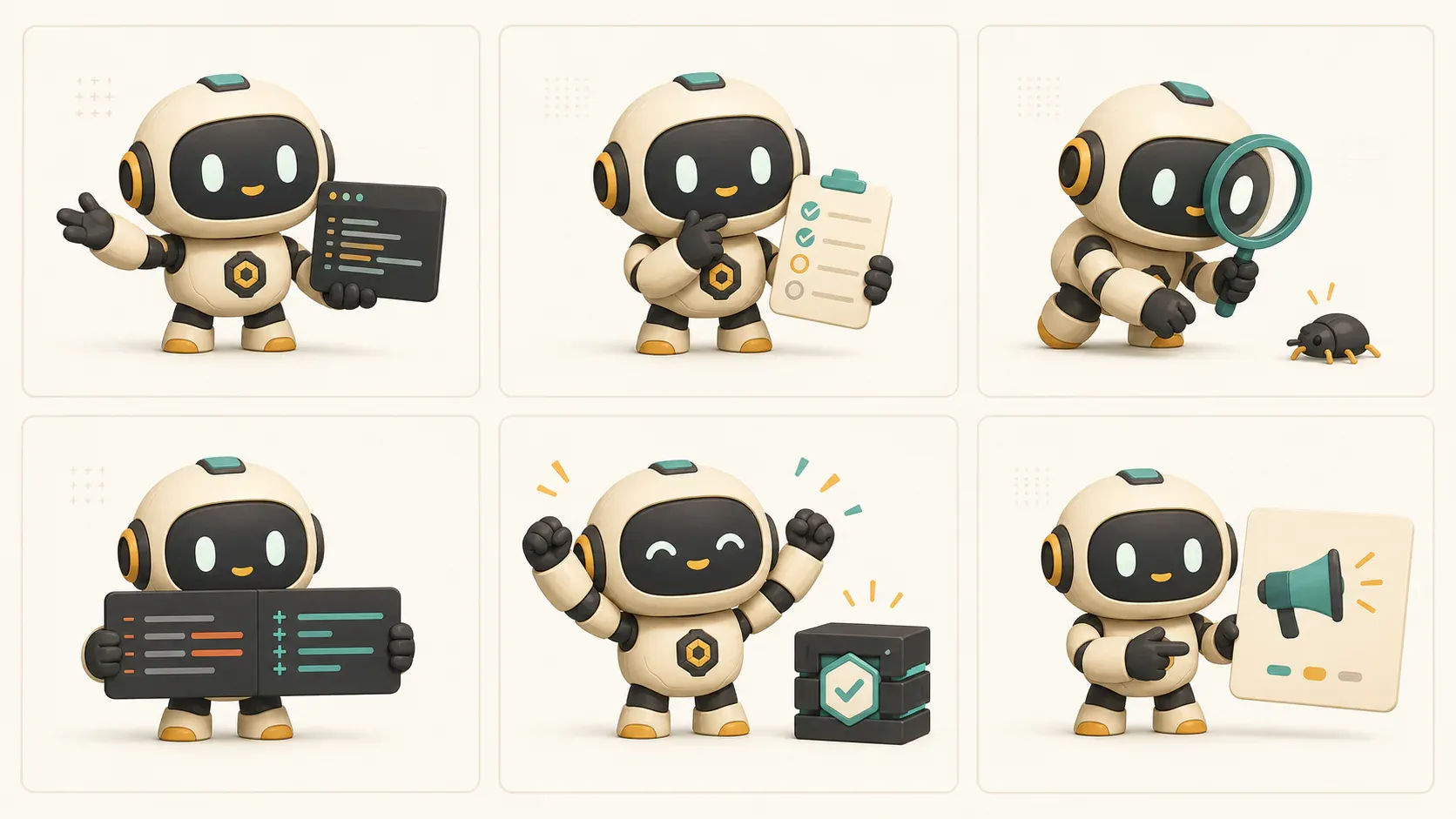
이제 Claude는 세션마다 다른 캐릭터를 만드는 대신 저장된 마스코트를 재사용할 수 있습니다.
포즈 생성 및 통합하기
같은 캐릭터가 새로운 상태를 표현해야 할 때마다 generate_mascot_pose을 사용하세요:
Read svgapp.conf.json and use activeMascotId with generate_mascot_pose.

Create an onboarding pose that welcomes the user and points toward the real
primary action. Poll get_generation_status until completed. If the image needs a
transparent background, call remove_image_background and poll that generation.

After I approve the asset, add its stable URL to the onboarding component with
descriptive alt text. Preserve the button label, heading hierarchy, and accessible
status text.
빈 상태, 오류, 로딩, 성공, 업그레이드 또는 문서 상태에도 이 워크플로를 반복하세요. Claude는 포즈마다 명확한 동작 1가지를 선택하고, 인터페이스와 경쟁하는 장식적인 세부 요소는 피해야 합니다.
Claude Code에 전체 UI 에셋 작업을 요청하기
더 폭넓은 작업을 진행할 때는 검토하기 쉬운 방식으로 유지하세요:
Audit this repository for onboarding, empty, error, success, and help states.
Return a table with the component path, user need, recommended mascot pose, and
whether the asset needs transparency. Do not edit files yet.

After approval, generate one pose at a time from activeMascotId. Poll every job,
show me the result, and only then integrate it into the named component.
이렇게 하면 제품 결정과 생성 및 코드 변경 사항이 분리되어, 결과로 나온 diff를 더 쉽게 검토할 수 있습니다.
기타 svgapp MCP 도구
list_mascots은activeMascotId이 없을 때 기존 캐릭터를 복구합니다.list_recent_generations은 분실된 생성 ID 또는 완료되지 않은 에셋을 찾습니다.generate_composition은 독립형 히어로 이미지, 다이어그램 또는 기능 일러스트를 생성합니다.create_mascot_animation은 기존 마스코트에 움직임과 선택적인 시작·종료 포즈를 추가합니다.get_generated_asset은 안정적인 URL과 생성 메타데이터를 반환합니다.
모든 생성 도구는 비동기 방식으로 작동합니다. generationId을 보관하고, get_generation_status로 상태를 확인한 다음, 최종 파일을 다운로드하기 전에 completed를 기다리세요.
문제 해결
Claude Code에 401 Unauthorized가 표시됩니다
만료된 토큰을 교체하고, Authorization: Bearer ... 헤더를 확인한 다음, claude mcp get svgapp로 연결 상태를 점검하세요.
포즈가 바뀔 때마다 마스코트가 달라집니다
Claude가 svgapp.conf.json을 읽고 해당 activeMascotId을 generate_mascot_pose에 전달해야 합니다. 각 상태마다 create_mascot을 호출하지 마세요.
에셋이 준비되기 전에 Claude가 UI를 수정합니다
get_generation_status을 폴링하고, 완료된 URL을 표시한 뒤, 컴포넌트를 변경하기 전에 승인을 기다리도록 지시하세요.