Mascots for MVP Agencies: Make Fast Launches Feel More Finished
Use mascot systems to make MVP landing pages, onboarding flows, and launch assets feel polished without extending timelines.
Quick Answer
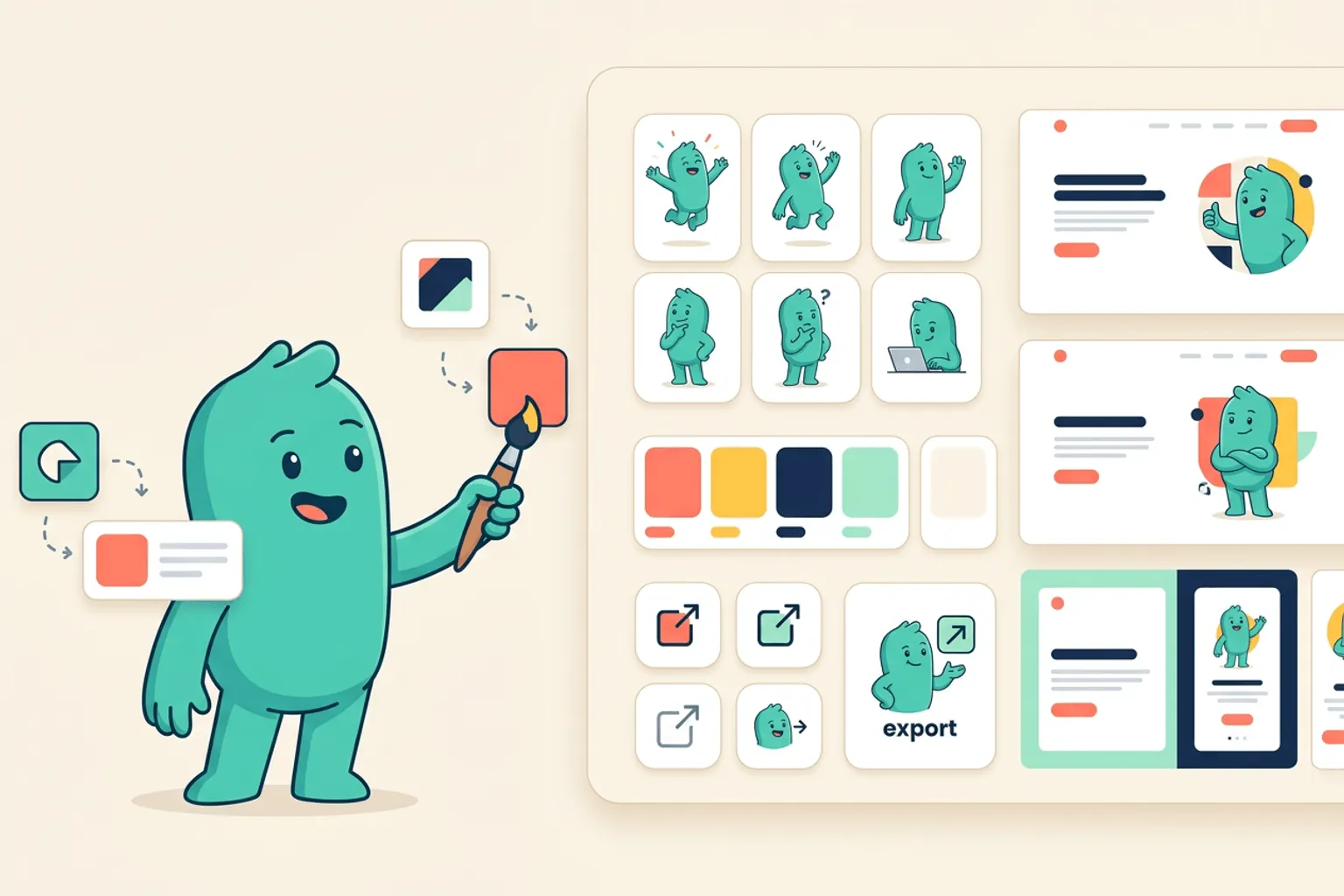
Core idea: A small mascot library can make a fast MVP feel more memorable, coherent, and launch-ready.
- MVPs need polish signals that do not slow delivery.
- A mascot pack can cover landing, onboarding, empty states, and launch graphics.
- Reusable SVG assets help agencies deliver more value without custom illustration bottlenecks.
MVP polish needs leverage
MVP agencies ship under tight timelines. There is rarely time for a full illustration system, but clients still want the product to feel distinctive. A mascot is a high-leverage visual asset because one character can appear across many deliverables.
It helps the MVP feel designed, not merely assembled.
If you want to learn more about mascot for MVP agencies, read Mascots for Agencies: Faster Brand Concepts and Client-Ready Character Systems next. Mascots for App Founders: From Landing Page Hook to Product Companion is also useful when you are mapping the same mascot system across product and marketing.
The minimum useful mascot pack
For MVP work, create six assets: homepage hero, onboarding guide, empty state, error recovery, success celebration, and launch/social graphic. This pack covers the screens and materials most likely to be seen by early users and investors.
Because svgapp keeps poses consistent, the pack can be created quickly without inventing a new visual style for every screen.
If you want to learn more about applying this idea in a real product workflow, Where to Place a Mascot in Your App is a practical next step.
Use mascots as a handoff asset
A mascot pack gives the client something they can keep using after the MVP ships. Include the files, prompts, and guidance for future poses. That makes the agency deliverable feel more complete and easier to extend.
For productized services, this can become a repeatable upsell or standard package component.
Implementation Checklist
Use this checklist before publishing the mascot assets. It keeps the character useful across the product instead of turning it into a one-page illustration.
- Add a six-pose mascot pack to MVP launch scope.
- Use assets in both landing page and product onboarding.
- Deliver SVG and PNG files with clear names.
- Include prompts so the client can extend the mascot later.
How to Think About Mascots for MVP Agencies
This longer-form guide is for MVP studios shipping client products that need a polished identity quickly. The goal is to use mascot systems to make early products feel intentional without slowing delivery. MVPs often look generic because every screen is built under time pressure. A mascot pack can create cohesion across landing, onboarding, empty states, and launch materials without a full custom illustration process.
The practical question is not whether the mascot is cute. The practical question is whether it helps people understand, remember, or complete something that matters. A strong mascot system should make the next asset easier to create, not harder.
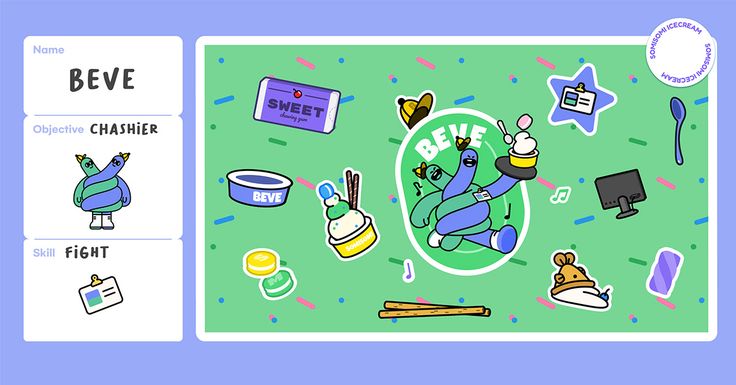
SOMISOMI Character Branding on Pinterest. The brand sticker-style reference is useful for thinking about a compact asset family that can ship across many surfaces.
Build the System Before You Polish the Moment
Package the mascot as part of the MVP system
A good MVP mascot pack includes a hero pose, onboarding pose, empty-state pose, error pose, success pose, and launch/social pose. This covers the moments clients notice most during demos and investor conversations.
Keep style simple enough for speed
Avoid fragile detail, complex shading, and scenes that require custom backgrounds. Simple transparent assets are easier to place in product UI and easier to regenerate when the client pivots.
Use the mascot to reduce generic SaaS feel
MVP agencies often reuse clean component systems. A mascot gives each client product a distinct emotional cue while keeping the underlying UI efficient and familiar.
What to Notice in the Pinterest Reference
Use Pinterest as a research board, not as a source to copy. The goal is to notice the design decisions that make a character usable across contexts, then translate those decisions into your own brand system.
- Look at how small supporting objects can extend the character world.
- Notice whether the asset family feels cohesive.
- Ask which pieces would make a demo feel more finished.
Common Mistakes to Avoid
- Treating mascot work as a post-launch nice-to-have.
- Creating artwork that cannot survive client pivots.
- Forgetting empty, error, and loading states in the first asset plan.
Production Checklist
- Include mascot assets in the MVP launch checklist.
- Generate transparent poses before product QA.
- Keep asset dimensions predictable for developers.
- Document how the client can request future poses.
How to Measure Whether It Worked
Treat the mascot like a product asset. Once it ships, review whether it improves clarity, recognition, speed, or reuse. The most useful metrics for this article are:
- Demo polish feedback
- Reuse across launch assets
- Client requests for follow-up brand work
- Time saved filling product illustration slots
Make MVP launches feel more complete
Generate consistent mascot assets for client MVPs, launch pages, onboarding flows, and handoff packages.
Create Your Mascot