Mascot Prompt Guide: How to Write Prompts for Consistent Characters
A practical mascot prompt guide for creating consistent AI brand characters, pose libraries, and SVG-ready product illustrations.
Quick Answer
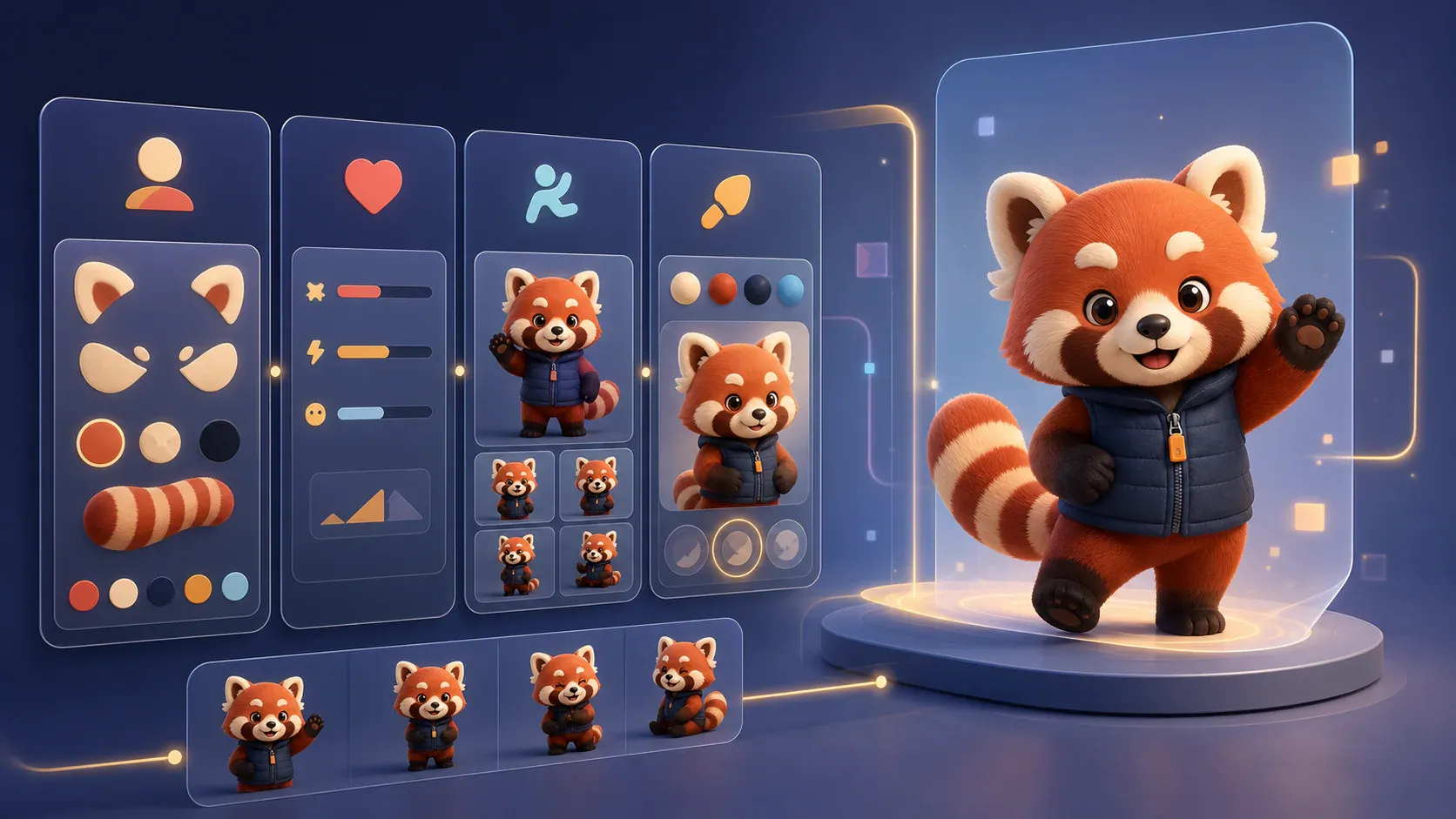
A good mascot prompt is not one long sentence asking for a cute character. It is a reusable brief that separates the mascot identity, visual style, pose, expression, and export needs. That structure keeps each new generation closer to the same character.
Use this simple format:
Create a [species/object/character type] mascot for [product or audience].

Character:
[Stable body shape, face, colors, outfit, signature detail.]

Personality:
[Three to five traits.]

Pose:
[One action and one emotion.]

Style:
[Vector-friendly style, line weight, color treatment, background rule.]

Output:
[Transparent background, no text, centered full body, SVG-ready composition.]
The goal is not to make the prompt longer. The goal is to make the parts reusable so a welcome pose, error pose, launch pose, and help pose still feel like the same mascot.
Why mascot prompts drift
Most AI mascot prompts fail because they mix permanent character details with one-off scene instructions. A prompt like “make a friendly robot mascot holding a laptop in a fun style” can produce a good first image, but it does not protect the robot’s shape, colors, face, or proportions when you ask for the next pose.
For a real product, the mascot has to appear in multiple places:
- onboarding screens
- empty states
- feature announcements
- documentation
- pricing pages
- social posts
- support moments
If each prompt starts from scratch, the character slowly becomes a different character. A reusable mascot prompt gives every pose the same source of truth.
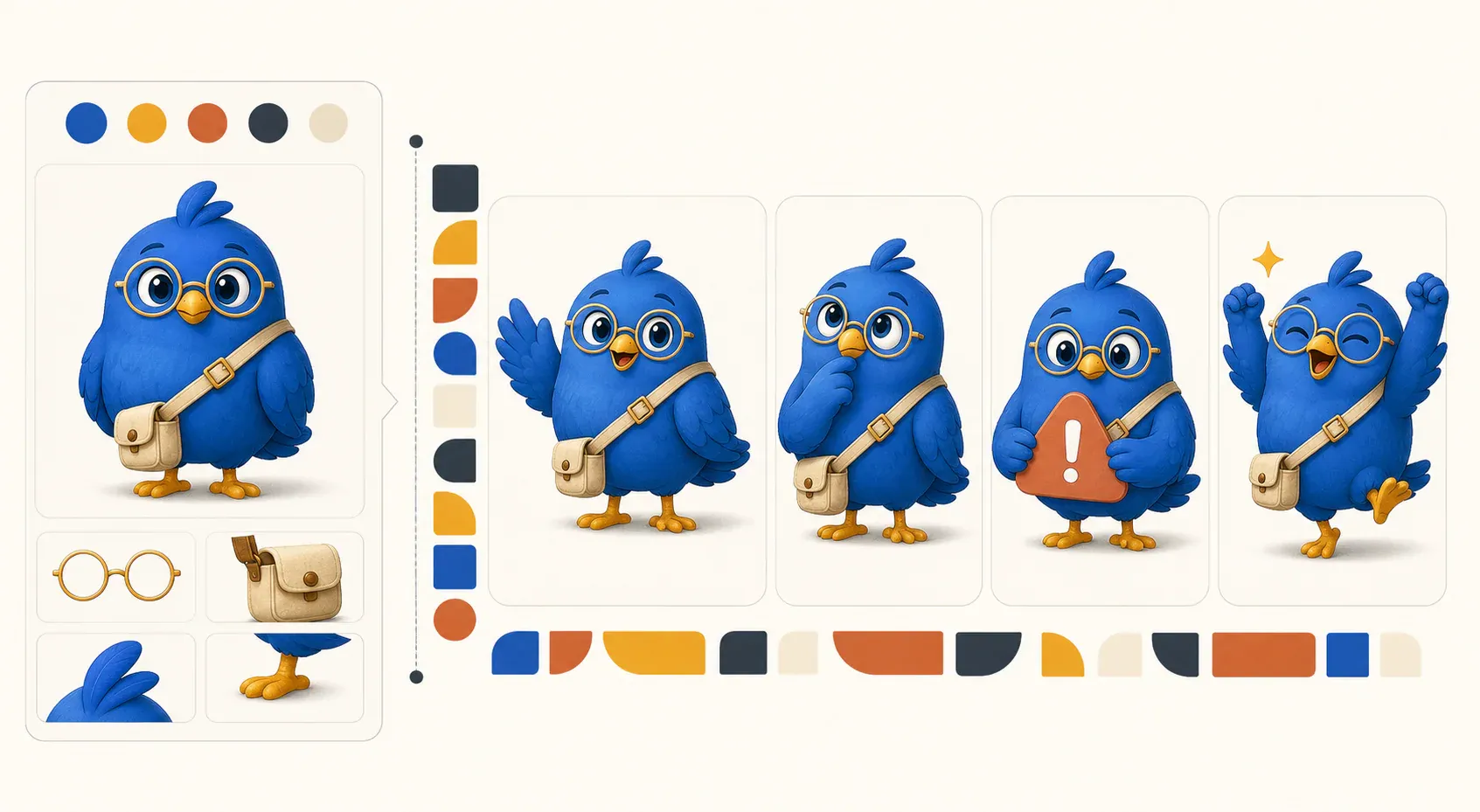
In this example, the glasses, satchel, palette, proportions, and face stay fixed. Only the pose, expression, and task prop change. That distinction is the foundation of a prompt system that can survive more than one generation.
If you are planning the full production workflow, start with How to Generate Consistent Mascots With AI. This page focuses on the prompt itself.
The five blocks every mascot prompt needs
1. Character block
This block should rarely change. It defines the mascot’s visual identity.
A curious red panda mascot with a rounded head, small triangular ears,
a cream face patch, a striped tail, navy utility vest, orange zipper pull,
white gloves, and sturdy brown boots.
Good character blocks include stable details:
- body shape and proportions
- face shape and eye style
- fixed colors
- outfit or accessory rules
- one signature detail people can remember
Avoid vague adjectives here. “Friendly” is useful in the personality block, but it does not tell the model what must stay visually consistent.
2. Personality block
The personality block guides expression, posture, and energy.
Personality: helpful, precise, upbeat, slightly nerdy, never chaotic.
The mascot should feel like a calm product guide, not a loud entertainer.
This matters because two mascots can share the same species and still feel completely different. A fintech mascot, a kids app mascot, and a developer tool mascot need different emotional ranges.
For deeper brand strategy, use the Brand Personality Guide for Mascots before writing prompt details.
3. Pose block
The pose block should change for each asset. Keep it specific and limited to one moment.
Pose: standing in a three-quarter view, holding a small checklist,
smiling with a confident expression, one paw pointing at the first item.
Good pose prompts name:
- body orientation
- action
- prop
- emotion
- gesture direction
Weak pose prompts ask for too much at once. “Make ten poses with different emotions, props, and backgrounds” usually creates inconsistent character sheets. Generate one important pose at a time, review it, then move to the next.
4. Style block
The style block describes the rendering rules that should remain stable across every pose.
Style: flat vector illustration, rounded geometric shapes, consistent navy
outline, limited teal, cream, and orange palette, minimal shading, no texture.
Be concrete about shape language, outlines, shading, palette, and detail level. Avoid relying on labels such as “modern” or “fun” without visual constraints; two generations can interpret those words very differently.
5. Output block
The output block defines how the asset must be composed and delivered.
Output: transparent background, centered full body, no text, no logo,
generous padding, readable at 240px wide, SVG-ready composition.
These instructions do not guarantee a real vector file, but they reduce common production problems such as cropped limbs, baked-in backgrounds, fake lettering, and details that disappear in a product UI. Always inspect the downloaded format and test the image in its intended placement.
Mascot prompt examples
App onboarding mascot prompt
Create a mascot for a productivity app used by small teams.

Character:
A compact owl mascot with a round body, soft square glasses, teal wings,
cream face, tiny orange feet, and a small navy messenger bag.

Personality:
Organized, warm, focused, encouraging.

Pose:
Standing beside a simple checklist, one wing lifted in a welcoming gesture,
friendly smile, calm eye contact.

Style:
Flat vector illustration, clean rounded shapes, subtle shadow, no texture,
high contrast edges, product UI friendly.

Output:
Transparent background, centered full body, no text, no logo, SVG-ready.
Use this for welcome screens, setup checklists, and activation steps. The same character block can later support success, error, and help poses.
Error state mascot prompt
Use the same owl mascot character.

Pose:
Sitting next to a small unplugged cable, head tilted slightly,
concerned but reassuring expression, one wing open as if offering help.

Style:
Same flat vector illustration style, same teal and cream palette,
simple product UI composition, no dramatic scene.

Output:
Transparent background, centered full body, no text, readable at 240px wide.
The shortened “same mascot” instruction works only when the tool retains the earlier context or accepts the approved character as a reference image. In a new or stateless generation, include the full character block again and attach the approved reference when the tool supports it. The important habit is to change only the moment—not to rely on context the generator cannot see.
Launch announcement mascot prompt
Use the same owl mascot character.

Pose:
Leaping slightly with a small paper rocket prop, excited expression,
bag strap still visible, wings open, body facing three-quarter front.

Style:
Same flat vector style, clean outlines, restrained confetti shapes,
transparent background.

Output:
SVG-ready composition for a launch card, no words, no interface mockup.
This prompt gives the model enough action to feel celebratory without turning the asset into a cluttered campaign poster.
Prompt checklist before generating
Before you generate the first mascot image, check the prompt against these questions:
| Check | Why it matters |
|---|---|
| Does the character block include fixed visual anchors? | Prevents the mascot from changing species, clothes, or face shape. |
| Is the pose only one moment? | Makes the result easier to judge and reuse. |
| Are colors specific? | Reduces random palettes and off-brand accents. |
| Is the output format named? | Helps with transparent backgrounds and SVG-ready compositions. |
| Did you ban text in the image? | Avoids broken labels, fake UI copy, and unusable exports. |
If a prompt fails one of these checks, edit the brief before generating more variations.
How to turn prompts into a pose library
Once the first mascot is approved, save the character block as the permanent source. Then create a short list of product moments:
- welcome
- explain
- think
- empty state
- error
- success
- launch
- support
For each one, change only the pose block and keep the character, personality, style, and output blocks stable. This is the simplest way to move from one mascot image to a system that can support a real app.
If the mascot will appear inside UI, read Where to Place a Mascot in Your App next. If you need transparent files for implementation, use Transparent SVG Mascots as the export checklist.
If you are still choosing a tool rather than refining its prompts, use Mascot Maker Online to compare consistency, small-size readability, background handling, and follow-up pose quality.
FAQ
What is the best prompt for a mascot?
The best mascot prompt combines a stable character block, a short personality block, one pose instruction, style rules, and output constraints. It should be reusable, not just descriptive.
How long should a mascot prompt be?
Long enough to preserve the mascot’s identity, but short enough to reuse. A good working prompt is usually five labeled blocks rather than one paragraph.
Should I generate a full mascot sheet in one prompt?
Use full sheets for exploration, not final production. For consistent app assets, generate one pose at a time from the same character prompt and review each result.
Do mascot prompts need SVG instructions?
Yes, if the asset will be used on websites or product screens. Ask for vector-friendly shapes, transparent background, no text, and clean edges so the result is easier to export or recreate as SVG. Those instructions influence the composition; they do not guarantee that the downloaded file is valid SVG. Verify the actual format and inspect the export before implementation.
Turn one mascot prompt into a reusable character system
Generate a consistent mascot and pose library for onboarding, empty states, launches, and product moments.
Create Your Mascot