svgapp vs Canva for Mascot-Led Brand Assets
Compare svgapp and Canva for creating app mascots, social graphics, pitch visuals, and reusable character systems.

Quick Answer
Core idea: Canva is great for layouts and templates; svgapp is better for generating a consistent mascot character system.
- Use Canva to assemble posts, decks, and simple campaign layouts.
- Use svgapp to create the mascot and pose variations that make those layouts ownable.
- Export mascot assets cleanly before placing them into design templates.
Canva is a layout tool
Canva makes it easy to create social posts, pitch slides, banners, and marketing layouts. It is useful when the visual ingredients already exist. The challenge is creating an original mascot that stays consistent across many poses.
Template libraries can make brands look similar if the core character asset is not ownable.
If you want to learn more about svgapp vs Canva, read Animated Mascots for Social Media: Planning Loops That Still Look Like Your Brand next. Mascots for Solopreneurs: A Friendly Brand System Without a Design Team is also useful when you are mapping the same mascot system across product and marketing.
svgapp is a mascot asset tool
svgapp helps create the mascot itself: the base character, poses, transparent assets, and SVG-friendly style. Those assets can then be used in Canva or any other layout tool.
This is a good division of labor. Generate the ownable mascot in svgapp, then compose campaign materials wherever your team works fastest.
If you want to learn more about applying this idea in a real product workflow, svgapp vs a DIY AI Mascot Workflow is a practical next step.
A practical workflow
Create a mascot pack in svgapp. Export the poses needed for launch, changelog, milestone, and onboarding graphics. Then import those assets into Canva templates that use your brand fonts, colors, and layout rules.
The result is faster content production without giving up character consistency.
Implementation Checklist
Use this checklist before publishing the mascot assets. It keeps the character useful across the product instead of turning it into a one-page illustration.
- Use svgapp for original mascot creation.
- Use Canva for layout assembly and campaign templates.
- Keep mascot file names organized by pose and use case.
- Avoid replacing consistent mascot assets with unrelated stock illustrations.
How to Think About svgapp Versus Canva
This longer-form guide is for teams deciding between mascot generation and template-based design production. The goal is to understand when to create the character in svgapp and when to lay out campaigns in Canva. Canva is strong for assembling layouts. svgapp is strong for creating consistent mascot assets. The clean workflow is to generate the character system first, then place those assets into templates when needed.
The practical question is not whether the mascot is cute. The practical question is whether it helps people understand, remember, or complete something that matters. A strong mascot system should make the next asset easier to create, not harder.
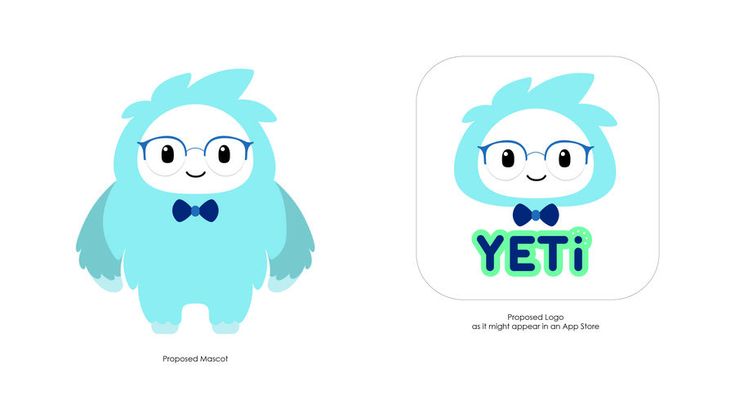
Design App Mascot and Logo on Pinterest. The app mascot/logo reference highlights the difference between creating identity assets and arranging them in finished layouts.
Build the System Before You Polish the Moment
Use svgapp for character consistency
A mascot needs stable proportions, expression logic, transparent exports, and matching poses. That is the hard part to solve before layout work begins.
Use Canva for campaign assembly
Once the mascot exists, Canva can be useful for social posts, pitch slides, posters, and simple marketing templates. The mascot remains the owned asset inside those layouts.
Keep source assets outside the template
Do not let each Canva file become the only source of truth. Keep mascot prompts, SVGs, PNGs, and usage notes in a separate brand folder so the character can be reused anywhere.
What to Notice in the Pinterest Reference
Use Pinterest as a research board, not as a source to copy. The goal is to notice the design decisions that make a character usable across contexts, then translate those decisions into your own brand system.
- Look at which parts are identity assets versus layout assets.
- Notice how a character can support multiple templates.
- Ask what should be editable by marketers and what should stay fixed.
Common Mistakes to Avoid
- Trying to build a consistent mascot entirely from layout templates.
- Exporting flattened images when transparent assets are needed.
- Letting template edits distort the character.
Production Checklist
- Generate the mascot pose library first.
- Export transparent assets for layout tools.
- Lock proportions when placing mascots in templates.
- Keep the character source folder separate from campaign files.
How to Measure Whether It Worked
Treat the mascot like a product asset. Once it ships, review whether it improves clarity, recognition, speed, or reuse. The most useful metrics for this article are:
- Asset consistency across campaigns
- Time to create a new post
- Number of distorted or off-brand mascot uses
- Ease of reuse outside Canva
Make your templates feel like your brand
Generate original mascot assets in svgapp, then reuse them across social posts, decks, and launch graphics.
Create Your Mascot