Brand Character Maker Tools and Services: How to Choose
Compare AI brand character makers, freelance illustrators, agencies, and animation services so you can pick the right path for a reusable character system.
Quick Answer
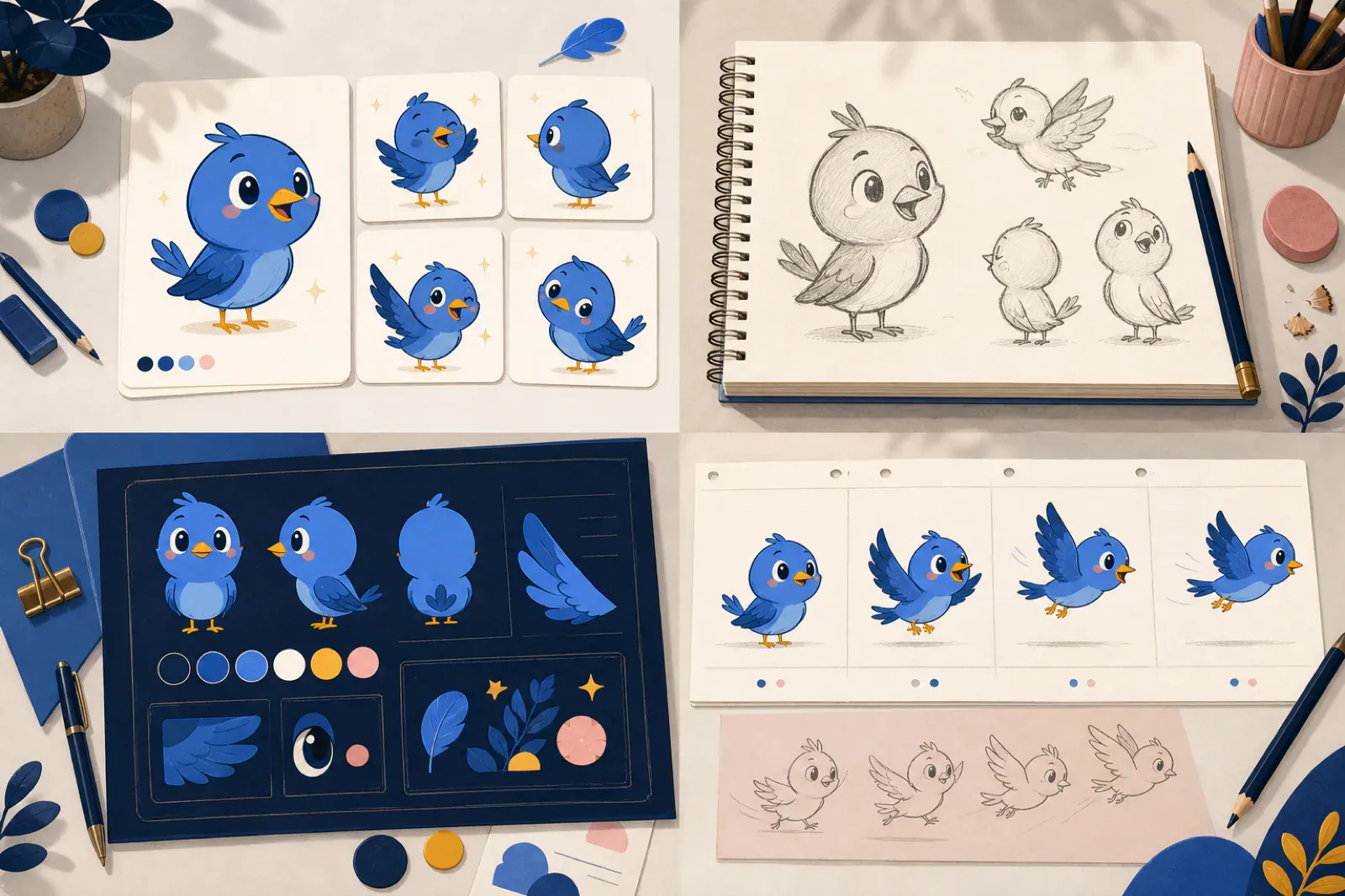
A brand character maker should help you create more than one cute illustration. The right tool or service should produce a character that stays recognizable across poses, formats, product screens, social posts, and campaign assets.
Core idea: choose the production path based on how much control, speed, polish, and ongoing variation you need.
- Use an AI brand character maker when you need fast exploration and repeated pose generation, and can review consistency and export quality yourself.
- Hire a freelance illustrator when you need a custom visual direction and can wait for a slower revision cycle.
- Hire an agency when the character is part of a wider brand strategy, launch system, or identity refresh.
- Hire an animator when motion, timing, acting, or story are the main deliverables.
If you are still defining the character itself, start with the guide to creating brand characters. If you already know you need a reusable mascot system, the comparison below will help you choose the right maker, tool, or service.
What “brand character maker” usually means
People use “brand character maker” to describe several different buying decisions:
- A self-serve AI tool that creates mascot or character assets.
- A design workflow for making a character from prompts, references, and revisions.
- A freelance or agency service that designs a custom mascot.
- An animation service that turns a character into motion.
Those options solve different problems. A generator is useful when you need breadth: homepage pose, onboarding pose, empty state, success state, documentation pose, and social graphics. A service is useful when you need a human-led creative direction, custom illustration polish, or a broader brand package.
The mistake is treating all of them as substitutes. A brand character is not only an image. It is a small system of rules: silhouette, colors, expression range, poses, formats, and places where the character should or should not appear.
The four main options
1. AI brand character maker
An AI brand character maker is often the fastest path when your team needs to explore and test assets quickly. It is strongest for founders, SaaS teams, indie hackers, agencies, and product marketers who want to validate a character direction before committing to a larger design project. Output quality and identity consistency still need review; generating multiple poses does not guarantee that they form a coherent system.
Look for a tool that supports:
- Consistent mascot identity across multiple poses.
- Transparent exports for product UI and landing pages.
- SVG or vector-friendly output.
- Pose generation for specific product moments.
- A workflow that keeps style, colors, and proportions stable.
This is where svgapp’s brand character workflow fits best. It is built around reusable character systems rather than one-off prompt images.
If you want to evaluate self-serve products before choosing a service, use the Mascot Maker Online evaluation guide to test identity consistency, exports, small-size readability, and follow-up poses with the same brief.
2. Freelance illustrator
A freelance illustrator is a good choice when your brand needs a very specific drawing style, a custom hand, or a higher level of visual authorship. The tradeoff is usually speed and variation. Every new pose or expression needs another round of briefing, scheduling, feedback, and production.
Use a freelancer when:
- The character needs a distinctive editorial or hand-drawn style.
- You need source files in a specific illustration format.
- You already have a strong creative brief.
- You can budget for future pose packs and revisions.
This path works best when the first character launch is more important than a large reusable library.
3. Branding or product agency
An agency is the right option when the character is part of a bigger identity system. Agencies can connect the mascot to positioning, messaging, tone of voice, campaign structure, and design-system rules.
Use an agency when:
- You are refreshing the full brand, not only adding a mascot.
- Stakeholder alignment matters.
- The character needs to support sales decks, ads, product UI, and launch pages.
- You want a strategic handoff package.
If you run an agency yourself, the mascots for agencies guide explains how to package character systems for client work.
4. Animation or motion service
Animation services are valuable when movement is the product. If the character needs acting, timing, storyboards, lip sync, scene transitions, or a polished explainer video, hire motion specialists.
For most app and SaaS teams, static poses should come first. You need a stable character before you can animate it well. A practical workflow is to create the character system, choose the strongest poses, then animate only the moments that actually benefit from motion.
For a deeper comparison, read AI mascot generator vs hiring an animator.
How to choose the right path
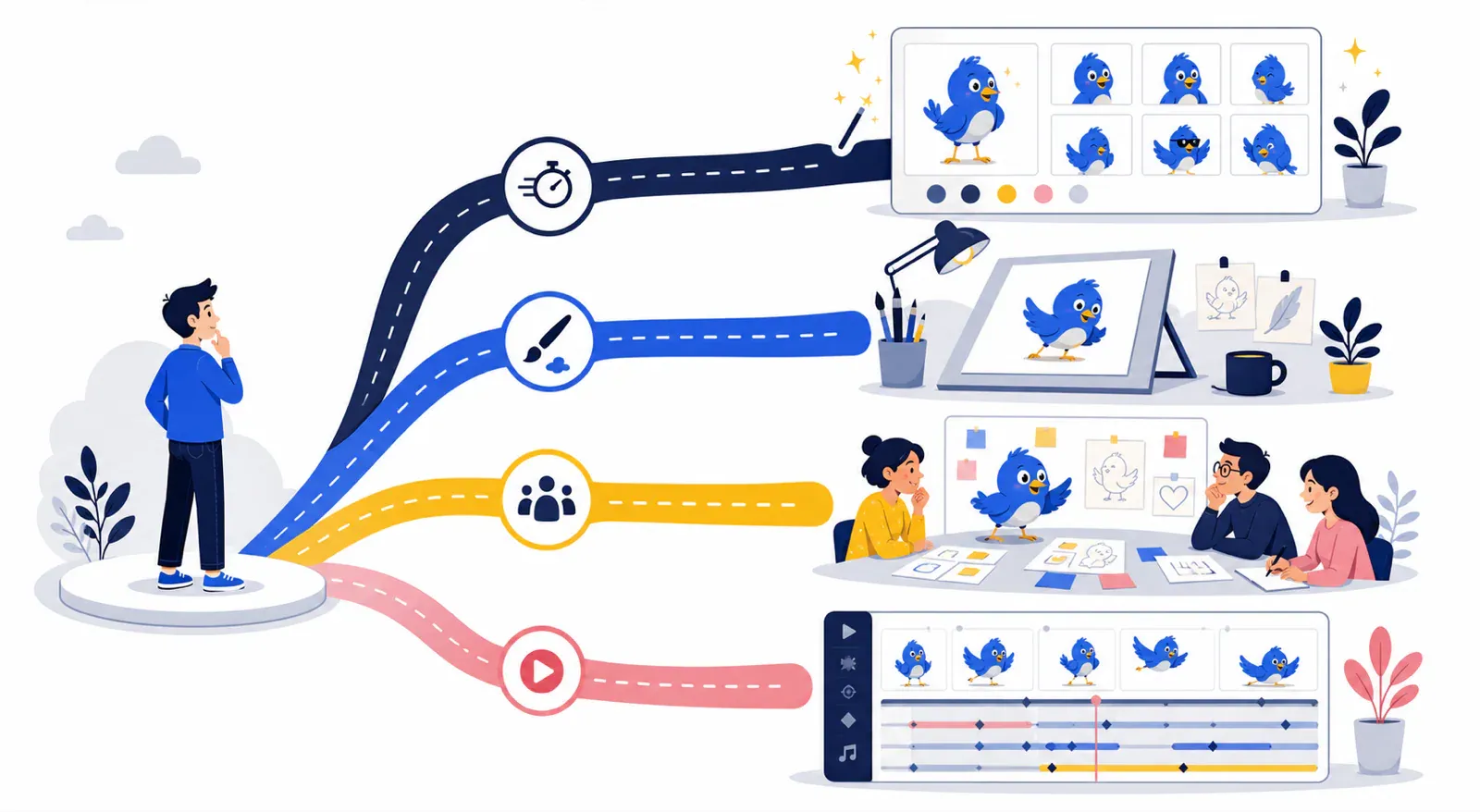
The four paths are not a quality ranking. They optimize for different constraints: iteration speed, visual authorship, strategic scope, and motion craft. A team can also combine them—for example, validate the pose system with a self-serve tool, then commission an illustrator to refine the approved direction.
Start with the asset list
Before comparing tools or services, write down the first ten places the character will appear. Common examples:
- Homepage hero section.
- Pricing or signup page.
- Onboarding welcome screen.
- Empty state.
- Error state.
- Success confirmation.
- Help docs or support page.
- Product announcement.
- Social launch post.
- Email or newsletter header.
If most of those assets are static UI and marketing placements, start with a brand character maker. If the central asset is a campaign film, start with animation. If the mascot is part of a repositioning project, start with brand strategy.
Check for system support
A useful brand character workflow should answer these questions:
- Can the same character appear in multiple emotions?
- Can it hold props without changing identity?
- Can it work on a white background and in a real interface?
- Can it export cleanly for web, docs, ads, and decks?
- Can someone on the team create the next pose without restarting from scratch?
If the answer is no, you are not buying a character system. You are buying a single illustration.
Match polish to risk
Early-stage teams often overbuy polish before proving that a character helps. It is usually smarter to generate a small system first: neutral, welcome, thinking, success, error, and support. Once the character proves useful, invest in refinement or motion.
Larger brands may need the opposite order. If the character will ship in a high-visibility campaign, spend more time on strategy, approvals, and craft before launch.
Compare total cost, not only the first asset
Ask what happens after launch. Price the initial character, six useful poses, source files, usage rights, revisions, and one future pose requested a month later. A cheap first image can become expensive if every variation requires a new brief or if the files cannot be adapted by your team.
Before buying a service, confirm ownership and licensing in writing. Before using a self-serve tool, check its current commercial-use terms. Those details differ by provider and can change, so they belong in the purchase review rather than in assumptions about a category.
Brand character maker checklist
Use this checklist before committing to any tool or service:
- The character has a clear role, such as guide, coach, helper, expert, or host.
- The visual style fits the product category and audience.
- The silhouette is recognizable at small sizes.
- The palette works with the existing brand colors.
- The output includes transparent backgrounds.
- The system includes at least five useful poses.
- The file formats work for your website, app, social channels, and docs.
- The workflow makes future poses easier, not harder.
For the creative side of the decision, the brand mascot versus brand character guide is a good companion.
Recommended workflow
Step 1: Define the brief
Write a compact brief with the audience, brand tone, character role, colors, visual constraints, and must-have use cases. Keep it practical. A usable character brief is better than a long mood board with no decisions.
Step 2: Generate or sketch three directions
Explore a few directions, but do not generate dozens of random characters. Compare them by system potential: can this character wave, think, celebrate, recover from an error, explain a feature, and sit inside a product screen?
Step 3: Build a minimum viable pose set
Create the first six poses before polishing too deeply. This catches consistency problems early. If the character changes species, proportions, face, or personality between poses, fix the identity lock before making more assets.
Step 4: Test in real placements
Place the character in the actual homepage, onboarding, empty state, or support doc. Do not judge it only as a standalone image. A strong brand character should make the screen clearer, warmer, or more memorable without stealing attention from the user’s task.
Step 5: Decide whether to refine, outsource, or animate
Once the system works, decide what needs human craft. You might keep using a brand character maker for new static poses, hire an illustrator to refine the base design, or hire an animator for selected moments.
Create a brand character system faster
Use svgapp to generate consistent mascot and brand character poses for your website, app, launch assets, and support moments.
Create Your CharacterFAQ
What is the best brand character maker for startups?
The best option for startups is usually a tool that creates a reusable pose system quickly. Startups need to test whether the character improves the website, onboarding, and launch materials before spending heavily on custom illustration or motion.
Should I use a brand character maker or hire an illustrator?
Use a maker when speed, variation, and ongoing pose creation matter most. Hire an illustrator when the visual authorship, custom style, or campaign polish matters more than asset volume.
What files should a brand character maker export?
For web and product use, prioritize transparent PNG and SVG-friendly assets. SVG is especially useful for crisp placement in landing pages, app states, documentation, and decks.
How many poses does a brand character need?
Most teams can start with six: neutral, welcome, thinking, success, error, and support. Add announcement, social, pricing, and documentation poses once the character is working in real placements.