Mascot Poses and Expressions: A Starter Library for App Teams
Plan the first mascot poses and expressions for onboarding, empty states, errors, success moments, docs, and launch graphics.
Quick Answer
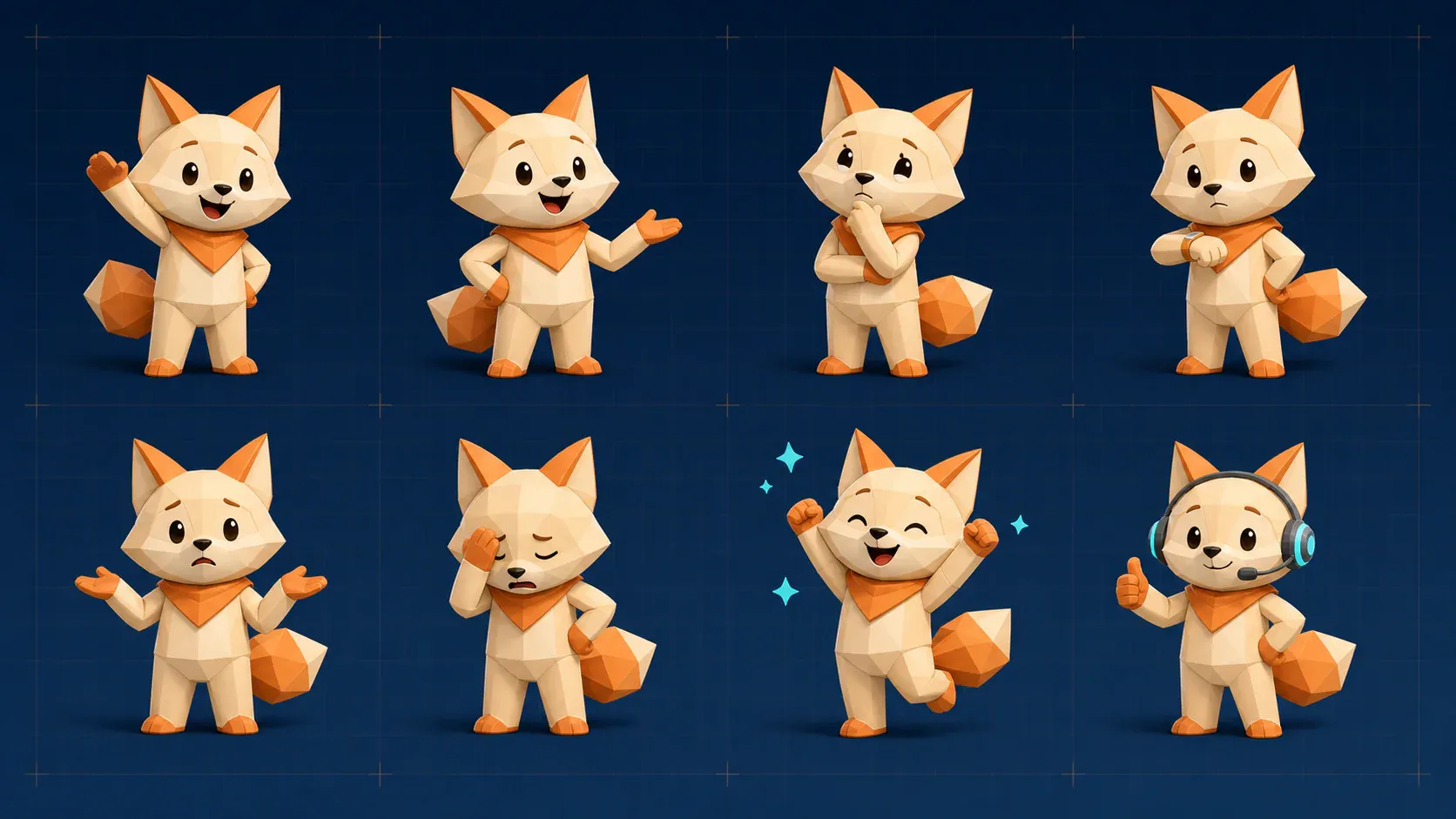
A useful mascot library starts with a small set of poses and expressions that map to real product moments. For most app teams, the first pack should cover welcome, explain, think, wait, empty, error, success, announce, support, and share.
Core idea: plan expressions before generating more art. The mascot should feel like the same character whether it is helping a user recover from an error, celebrating a milestone, or explaining a new feature.
- Start with 8-10 poses, not a giant sticker pack.
- Pair each pose with a product moment, user emotion, and expression rule.
- Keep the face, proportions, colors, and SVG export style consistent across every pose.
This page is a production library: use it to decide which pose files to make and how strongly the mascot should emote. For the end-to-end creation process, see the app mascot generator workflow. For placement inspiration, browse app mascot examples and patterns.
The starter mascot pose set
The first mascot pose library should be boringly practical. It needs to cover the screens and campaigns your team will use repeatedly.
| Pose | Expression | Where it works |
|---|---|---|
| Welcome | calm smile, open posture | onboarding, first project, account setup |
| Explain | focused, pointing or presenting | feature intro, docs, tooltips, walkthroughs |
| Think | curious, patient | loading, AI planning, search, analysis |
| Wait | relaxed, low energy | background processing, import, deployment |
| Empty | encouraging, inviting action | empty projects, no results, blank dashboards |
| Error | concerned but steady | failed upload, invalid input, permission issue |
| Success | proud, energetic | completion, activation, payment, published page |
| Announce | confident, attention-getting | changelog, launch, new template, release notes |
| Support | empathetic, helpful | help center, contact flow, support article |
| Share | expressive, outward-facing | social cards, newsletters, referral moments |
If you only have time for five, use welcome, explain, think, error, and success. That gives the mascot enough emotional range to support the product without creating maintenance overhead.
Do not treat the table as a mandatory pack. Start from actual screens in your roadmap, remove poses with no owner or placement, and add a pose only when a repeated use case justifies another maintained asset.
Write expression rules before generating poses
Expression drift is one of the easiest ways to make a mascot feel inconsistent. The pose can change, but the character logic should not.
Define these rules before creating more mascot assets:
- Eyes: shape, size, spacing, and how they change with emotion.
- Mouth: smile range, frown range, and whether teeth ever appear.
- Body language: how far the mascot leans, points, jumps, or shrinks.
- Props: which objects belong to the character and which are one-off scene items.
- Energy level: calm, playful, technical, premium, or expressive.
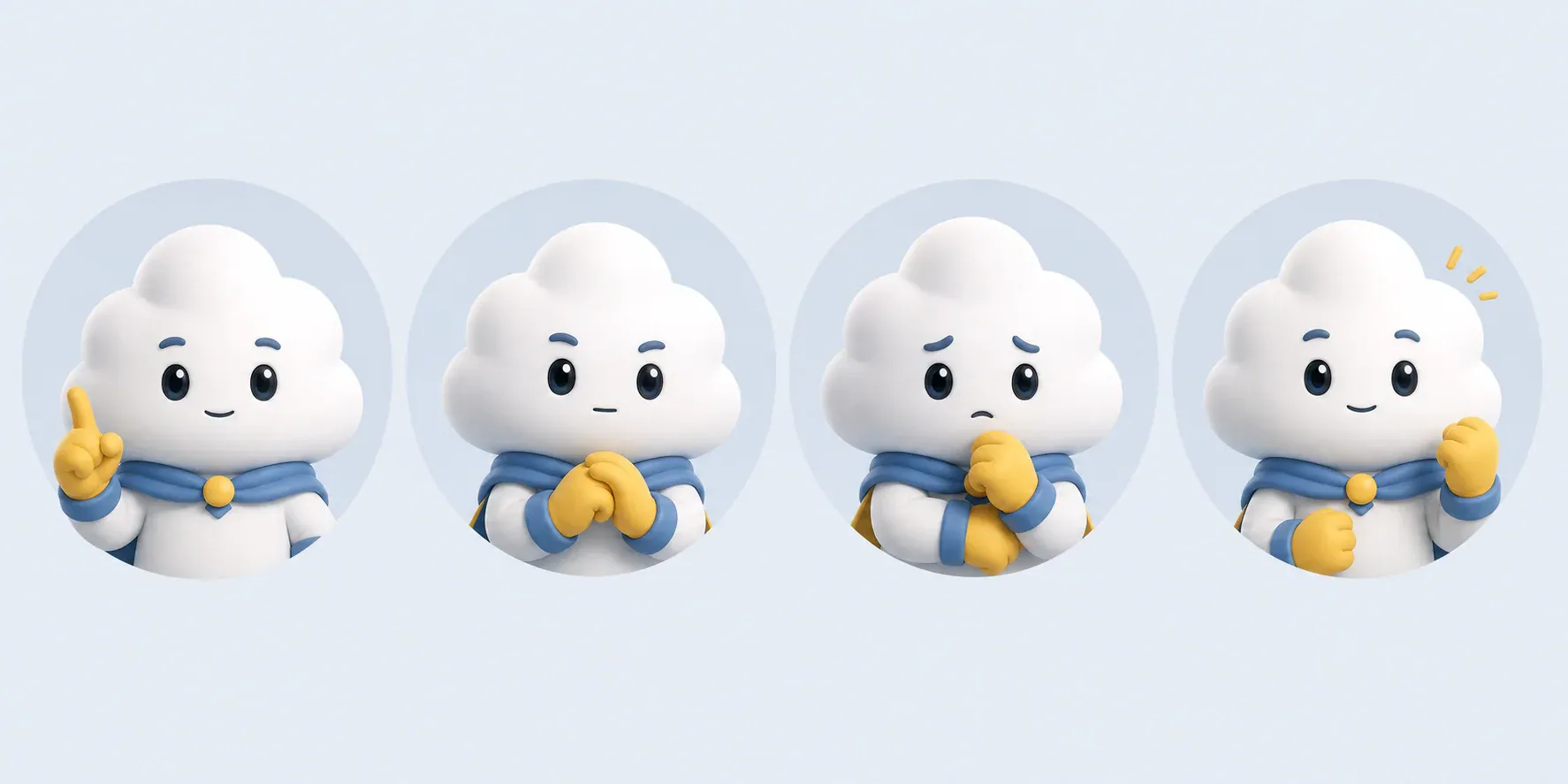
Think of emotion as a controlled scale, not a collection of unrelated faces. The eye placement, head shape, proportions, and core colors stay locked; brows, mouth, hands, and posture carry the change.
When the base character uses simple vector parts, the simple geometric mascot design guide provides the matching silhouette, face, and component constraints to preserve across the library.
For a broader system view, read Brand Mascot vs Brand Character. If you already have a base character and need production checks, Transparent SVG Mascots is the natural next step.
Map expressions to user emotions
Do not choose expressions by asking what looks cute. Choose them by asking what the user feels in that moment.
| User emotion | Mascot expression | Avoid |
|---|---|---|
| Unsure | warm, guiding | loud celebration |
| Waiting | patient, occupied | frantic motion |
| Blocked | concerned, useful | jokes that blame the user |
| Relieved | proud, upbeat | overdone confetti |
| Curious | focused, inviting | vague generic smiles |
This is especially important in product UI. A launch graphic can be more expressive, but an error state should feel calm and useful.
Prompt structure for consistent mascot poses
Use one stable character block and one changing pose block. That keeps each new pose close to the original mascot.
Character block:
[Mascot name] is a [character type] for [product category].
Keep the same proportions, colors, face shape, outline style, and SVG-friendly detail level.
The character feels [brand traits].

Pose block:
Create a [pose name] pose for [product moment].
Expression: [specific face and body language].
Prop or action: [specific prop/action, if needed].
Export: transparent background, centered composition, safe padding, readable at small UI sizes.

Avoid:
Changing the mascot identity, adding text, copying another brand character, or using a different illustration style.
If you need a full preparation workflow, use Mascot Creator Toolkit. If your main problem is keeping AI outputs on-model, read Consistent Mascots with AI.
Choose poses by product surface
The same expression can become too much or too little depending on where it appears.
Product UI
Use the calmest version of the pose. Product surfaces need clarity first. Good UI poses include welcome, explain, think, empty, error, and success.
Documentation
Use explain, support, and warning poses. The mascot should help readers scan important notes, not decorate every section.
Marketing
Use announce, share, and success poses. These can carry more movement, props, and personality because they are competing for attention.
Social and launch assets
Use stronger expressions, but keep the silhouette simple. If the mascot is cropped into a small preview card, the face and main gesture still need to read quickly.
Where to Place a Mascot in Your App covers the placement side in more detail. App Mascot Design is useful when you want to tie each pose to a specific screen.
Name and track each pose like a product asset
Use predictable names so designers and developers can find the right emotional state without opening every file:
[mascot]-[surface]-[pose]-[intensity]-[theme].[format]

orbit-onboarding-welcome-calm-light.svg
orbit-upload-error-concerned-dark.svg
orbit-release-success-high-light.png
For each exported pose, record its owner, source character version, intended surface, background theme, dimensions, and approval status. A small asset manifest prevents an outdated face or color treatment from returning through an old campaign file.
Common mistakes to avoid
- Generating twenty random poses before deciding where the mascot will appear.
- Letting the face change shape between happy, confused, and error states.
- Making every pose high-energy, even when the user is blocked.
- Adding props that make the mascot hard to crop or use in small UI.
- Exporting files without transparent backgrounds, safe padding, or predictable dimensions.
Mascot poses and expressions FAQ
How many mascot poses does an app need?
Most app teams can start with 8-10 poses. If you are early, start with five: welcome, explain, think, error, and success.
Should every mascot pose have a different facial expression?
No. The expression should change only enough to match the moment. Reuse a stable face structure so the character stays recognizable.
What is the difference between a mascot pose and an expression?
A pose is the character’s full-body action or posture; an expression is the emotional signal carried mainly by the face and smaller gestures. One pose can have restrained expression variants, but each exported asset should have one clear job.
What is the best pose for an error state?
Use a calm recovery pose. The mascot can look concerned, but it should not panic, mock the user, or distract from the next action.
Are SVG mascot poses better than PNG?
SVG is useful for product UI when the artwork is genuinely vector-based because it scales cleanly and can stay lightweight. PNG is appropriate for raster artwork, social images, email, and placements where exact rendered appearance matters. Converting a detailed raster image into an SVG wrapper does not make it resolution-independent.
Production checklist
- Pick the first 8-10 mascot poses by product moment.
- Define face, body language, prop, and energy rules.
- Generate one pose at a time and compare it to the base character.
- Export transparent SVG or PNG files with safe padding.
- Test each pose in one real UI or marketing placement.
- Save prompt notes so future poses can match the approved set.
Build the first version of your pose library
Use svgapp to create consistent mascot poses, then organize each asset by surface, emotion, intensity, and theme.
Create Mascot Poses